SELF-HOSTED · YOUR DATA, YOUR SERVER
The PSA for small MSPs, running on your own server.
Tickets and SLAs, dispatch, RMM monitoring, contracts and billing, and a client portal in one app. Pay once, install it on your own Linux server and put your brand on every screen.
- One-time payment
- 1 year of updates included
- Ubuntu/Debian
- PHP 8.4 + MariaDB
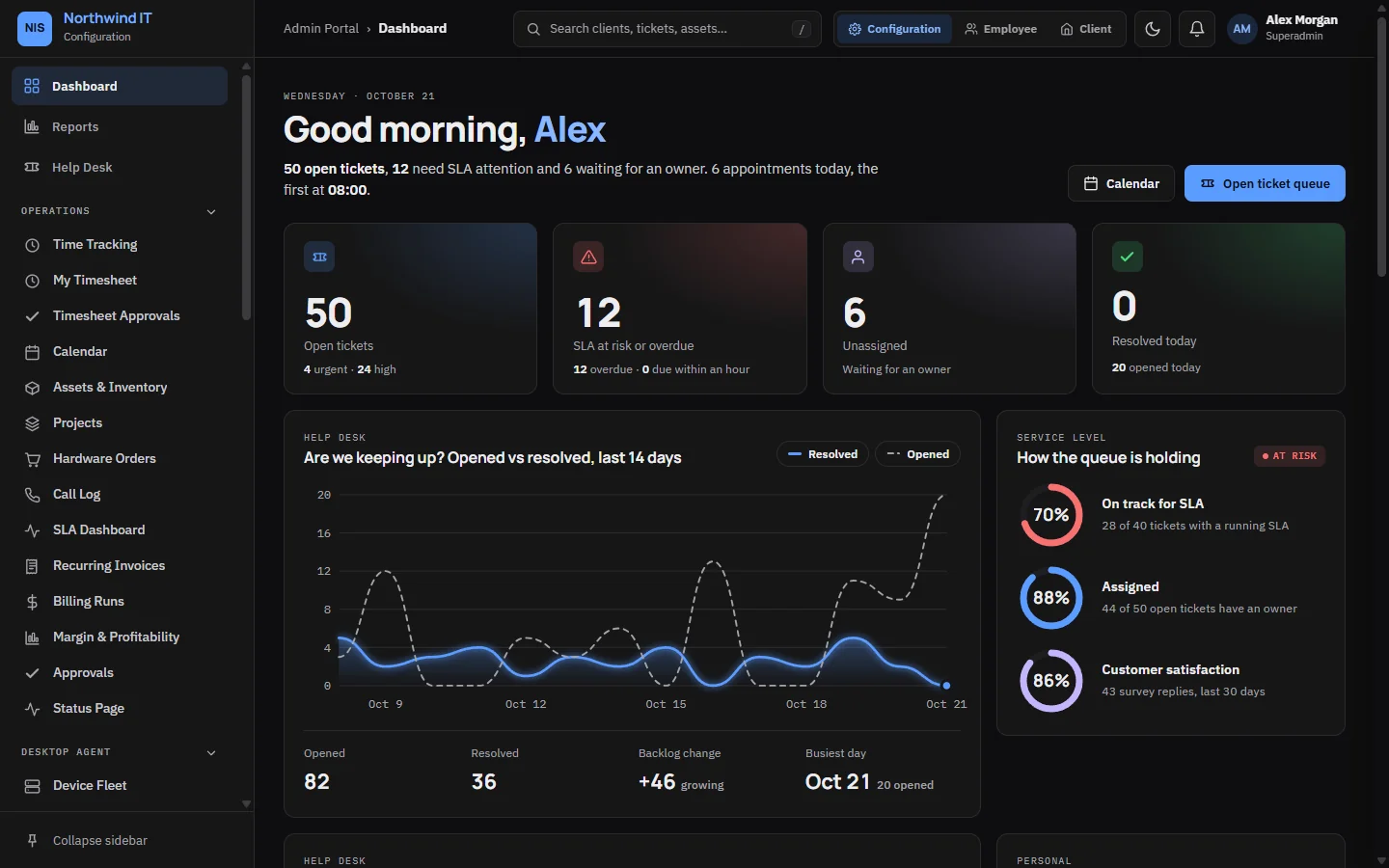
Highlights
What CVN PSA does
-
Help desk
SLAs measured in working hours
Each ticket's SLA clock runs in your opening hours and stops while you wait on the client. The SLA dashboard lists the tickets about to breach.
-
Dispatch
A board for the whole team
Drag jobs onto technicians and see each person's capacity for the day, after time off. The board warns you before a job overlaps another booking.
-
Clients
One page per client
Tickets, assets, contracts, contacts and compliance status for a client on one screen.
-
Billing
A monthly run drafts the invoices
One draft invoice per client from the contract fee, unbilled time, retainer overage, mileage and received purchase orders. You review it before it goes out.
-
Portal
A portal for your clients
Clients raise and follow tickets, approve quotes, pay invoices online and search your knowledge base, on a desktop or a phone.
-
White-label
Your name on every screen
Your company name, logo and colour in the app, the client portal, emails and printed invoices. A new install calls itself "Service Portal" until you name it.
Tour
Real screens from CVN PSA
Taken from a demo install filled with made-up clients. Select a screen to see it full size.
-
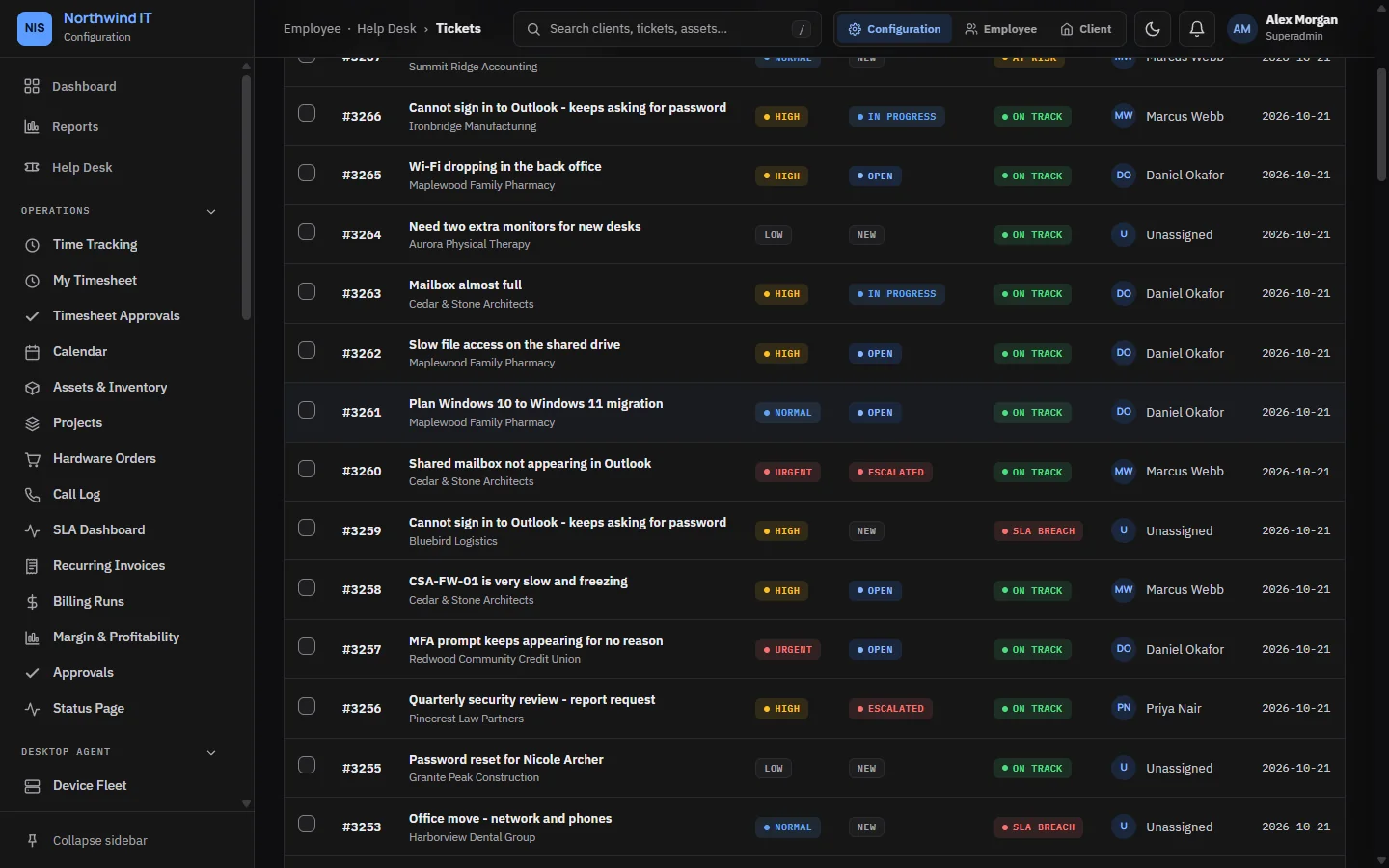
Help desk Every ticket with priority, status, SLA state and owner; list or board view with bulk actions. -
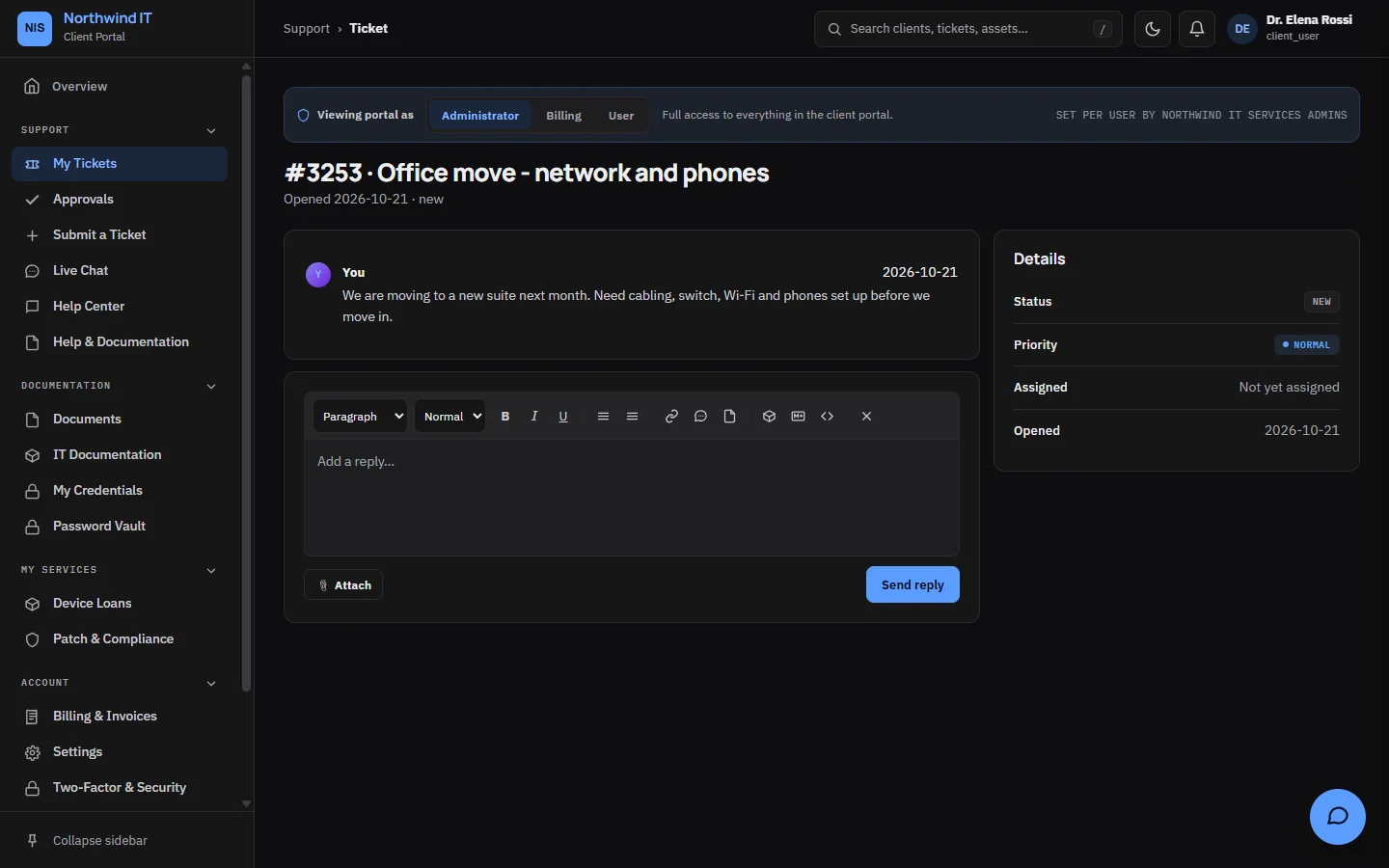
Ticket conversation Replies, internal notes and attachments on one ticket, as your client sees it. -
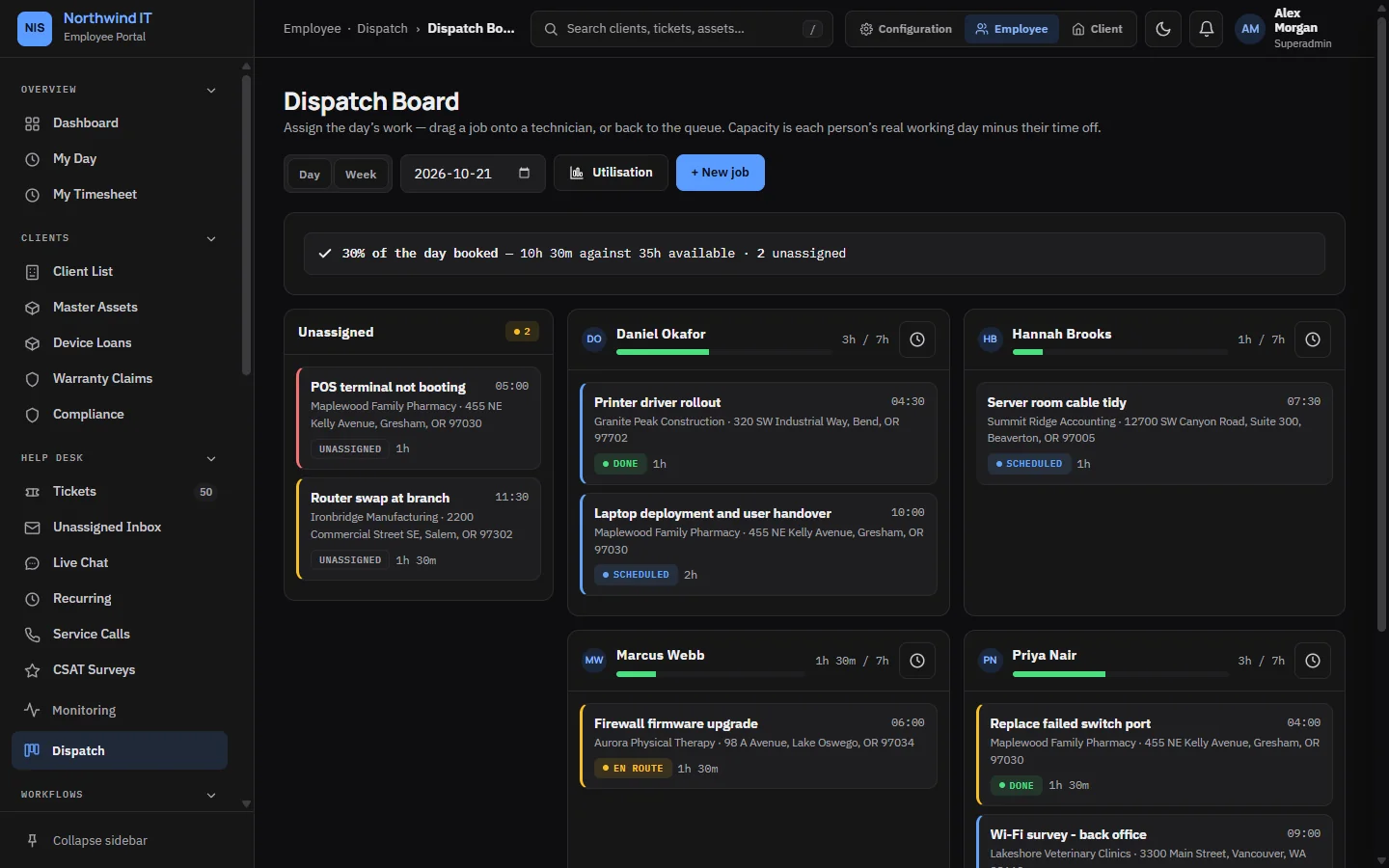
Dispatch board Drag jobs onto technicians and see each person's booked time for the day. -
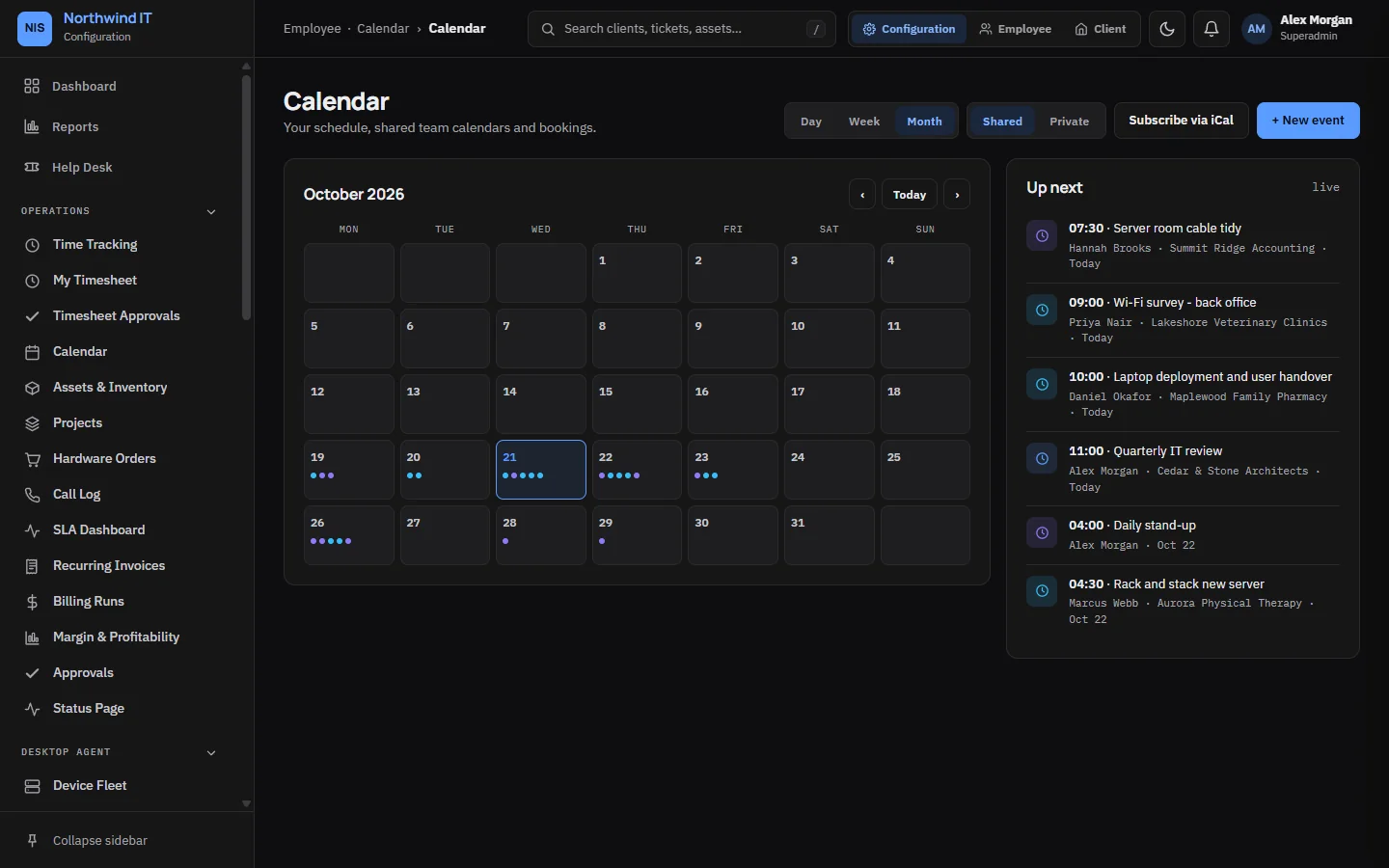
Calendar Shared team calendar with appointments, on-site visits and bookings. -
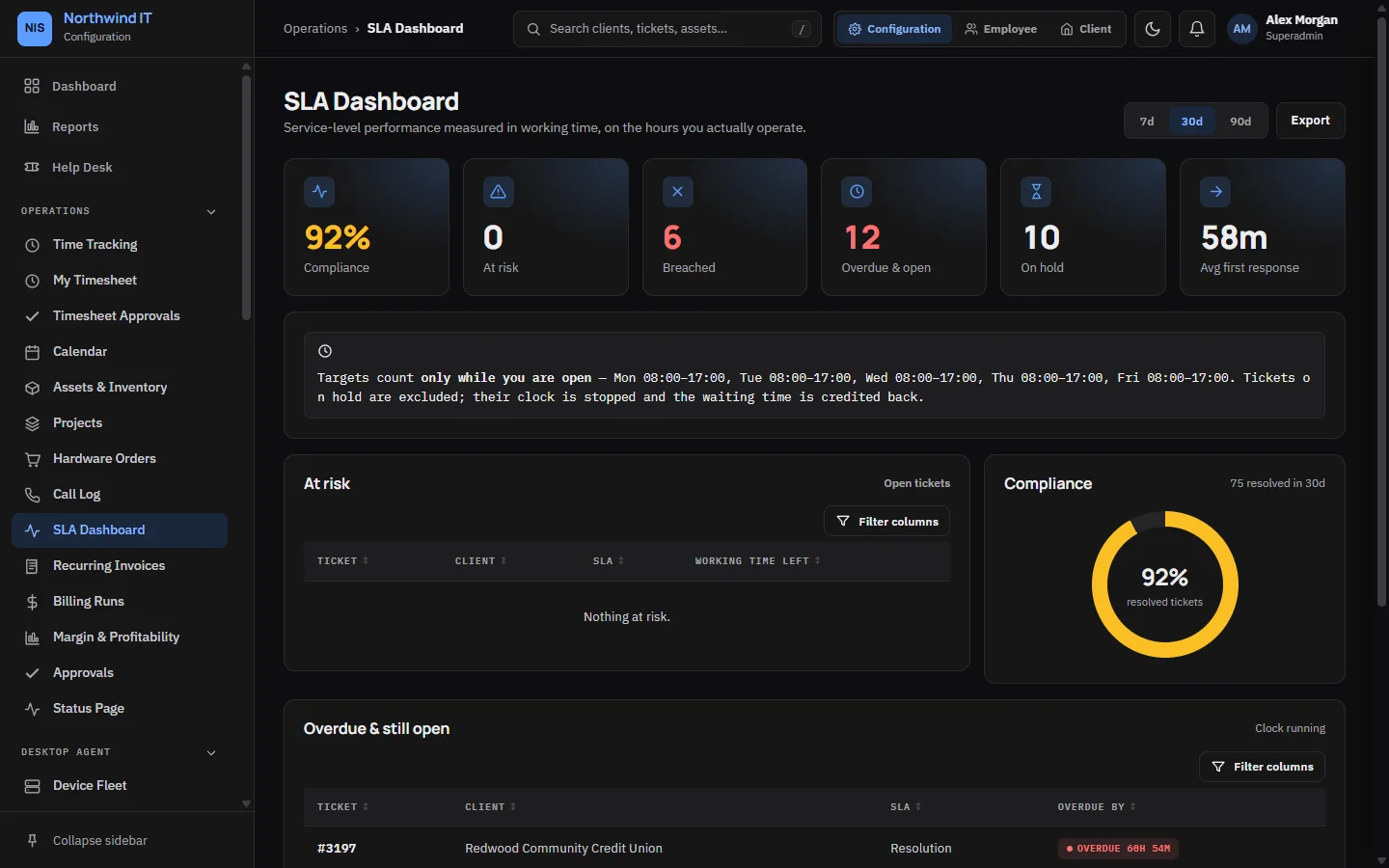
SLA dashboard Compliance, breaches and tickets about to breach, measured in working hours. -
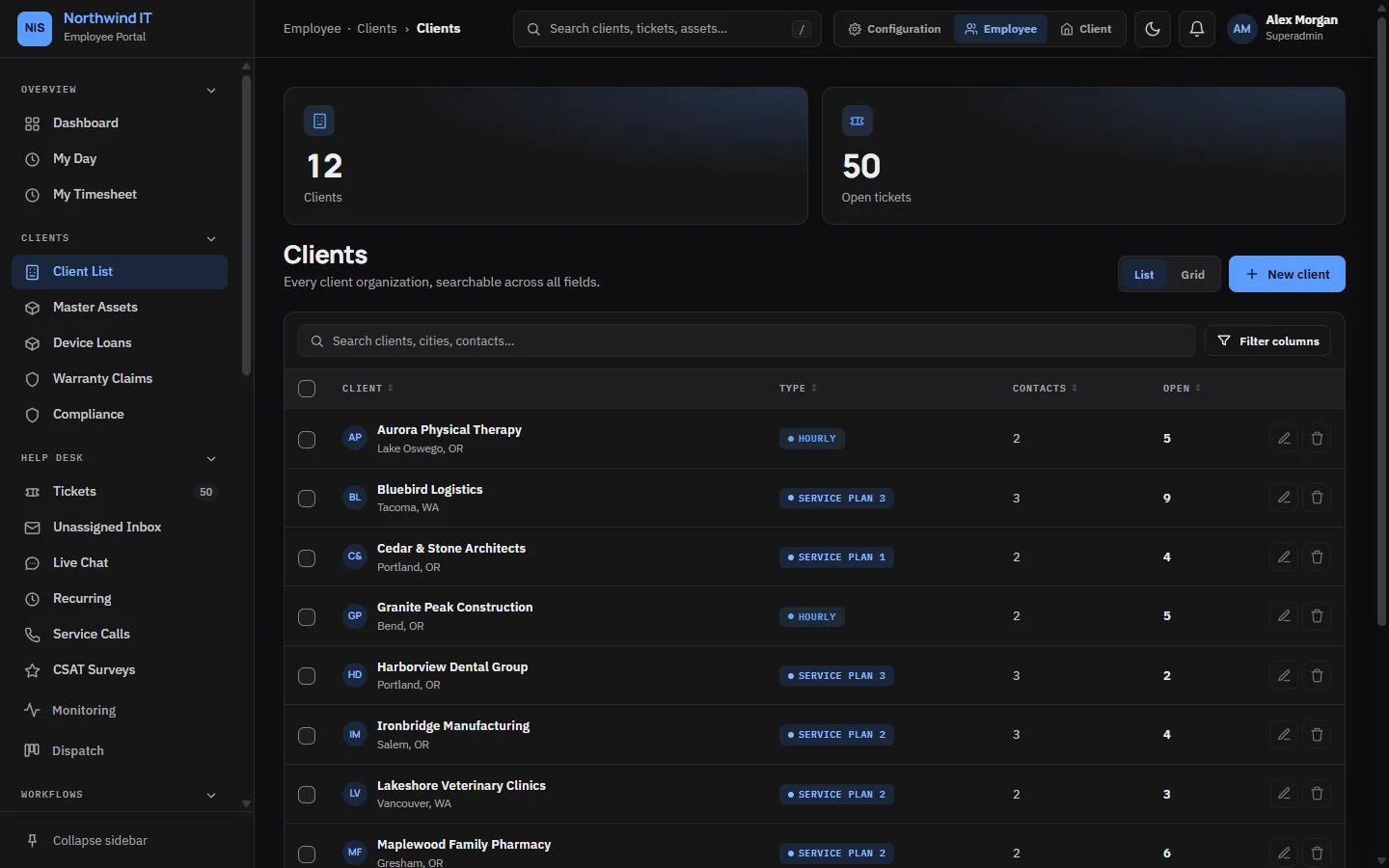
Clients All client organisations with plan, contacts and open tickets. -
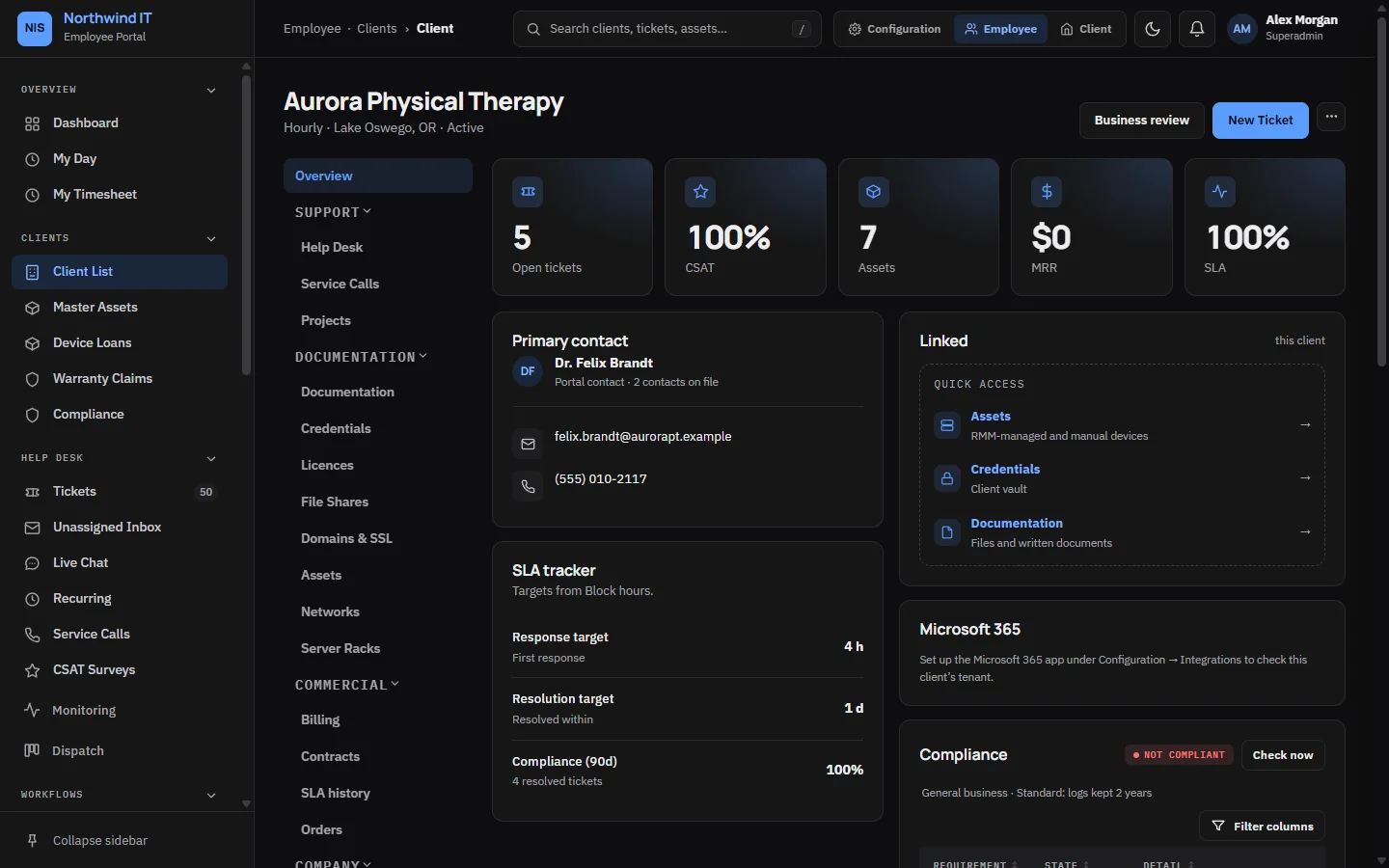
Client overview One client's tickets, assets, contracts, contacts and compliance in one place. -
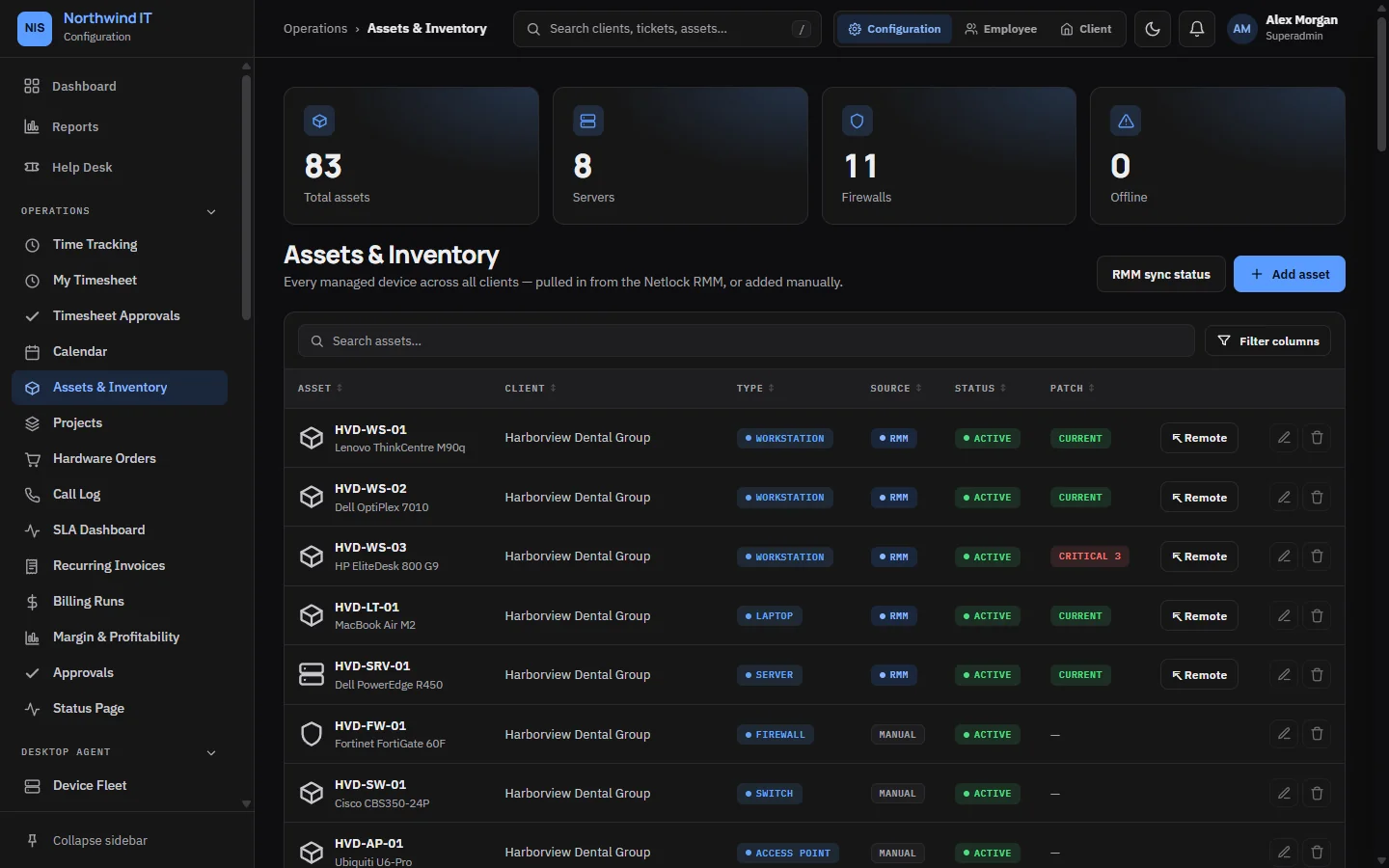
Assets & inventory Workstations, servers and network gear per client, with warranty and status. -
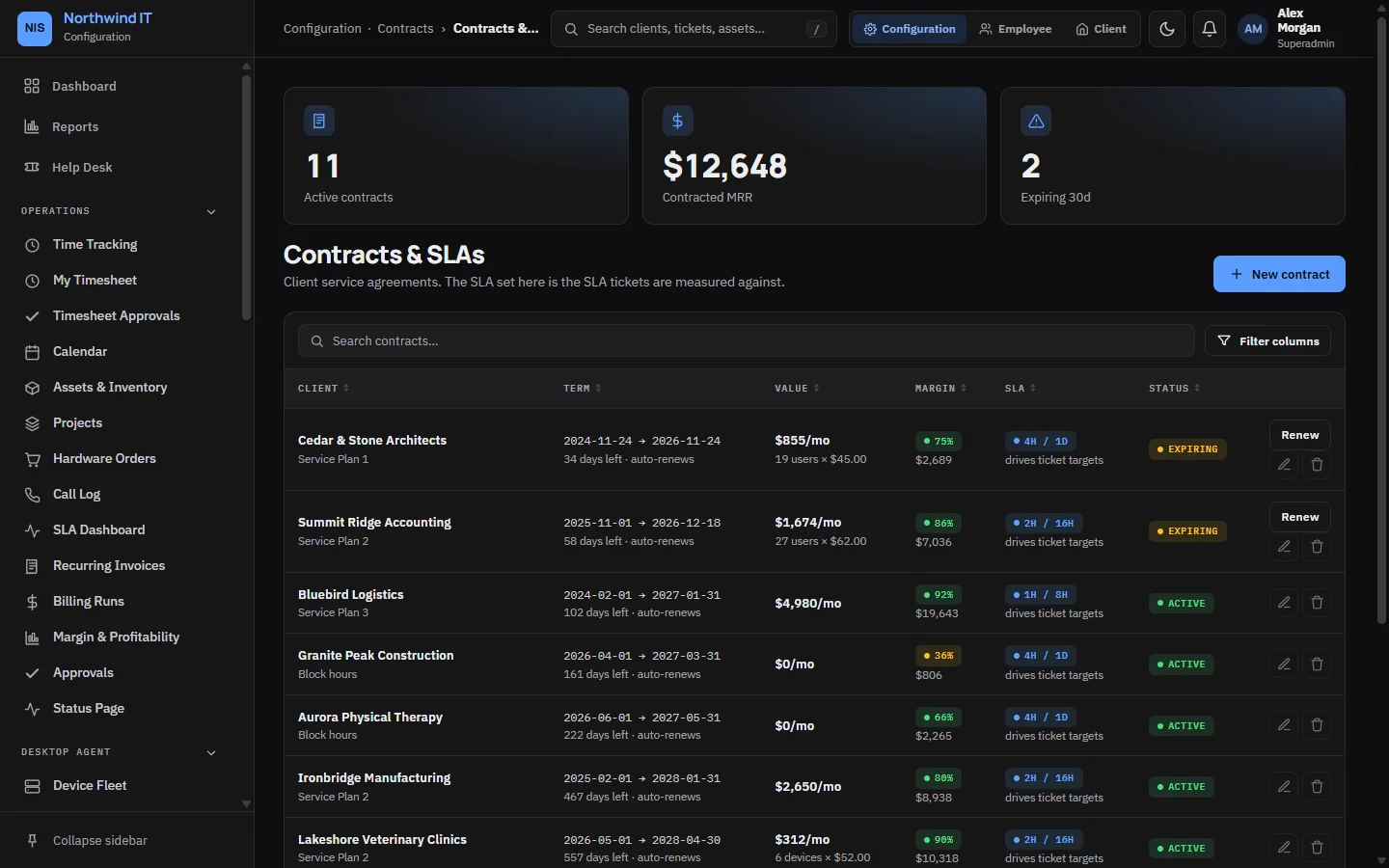
Contracts & SLAs Service plans, renewal dates and the SLA each client is promised. -
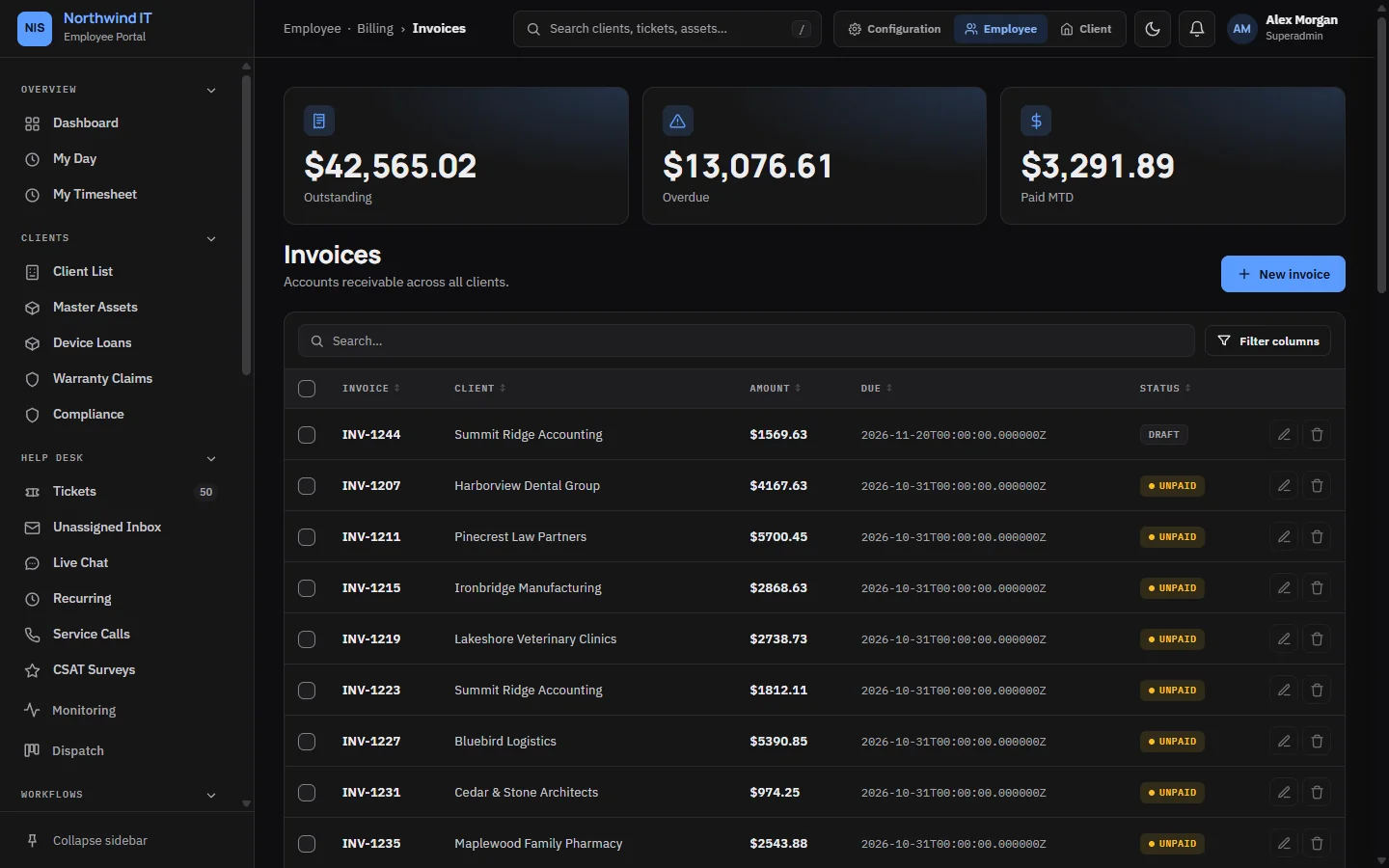
Invoices Outstanding, overdue and paid invoices across every client. -
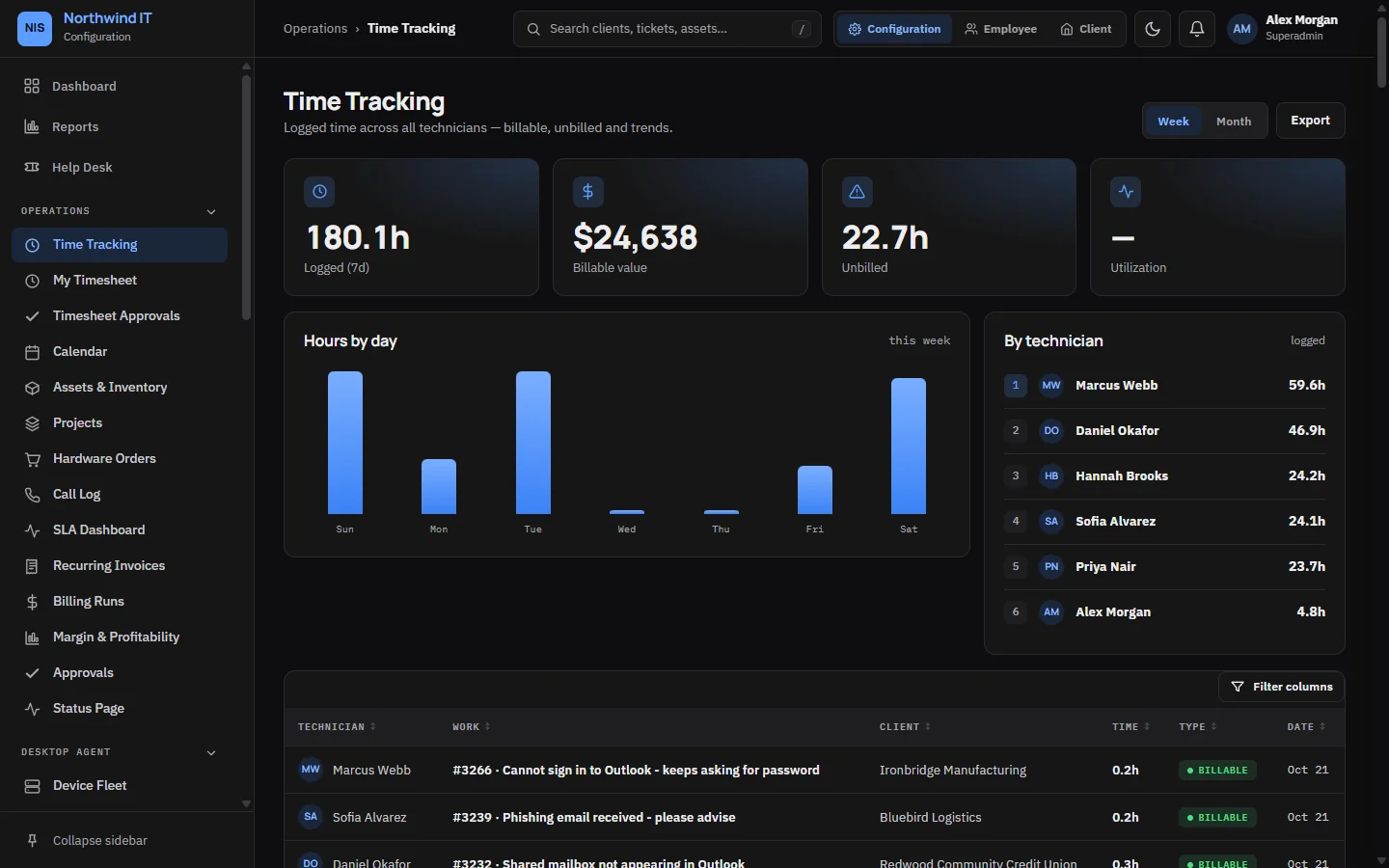
Time tracking Logged hours by day and by technician, billable value and utilisation. -
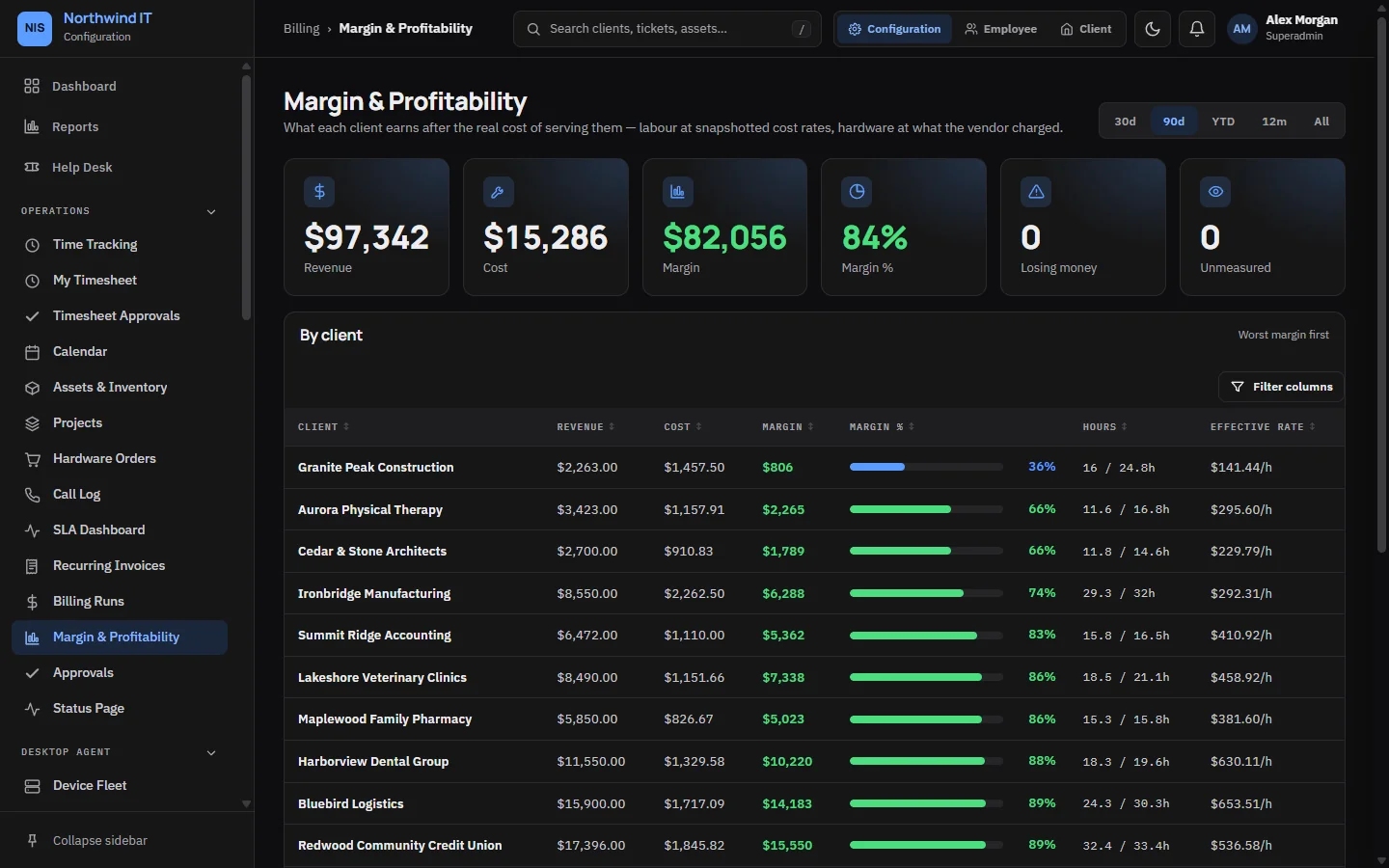
Margin & profitability Revenue, cost and margin per client so you can see who is profitable. -
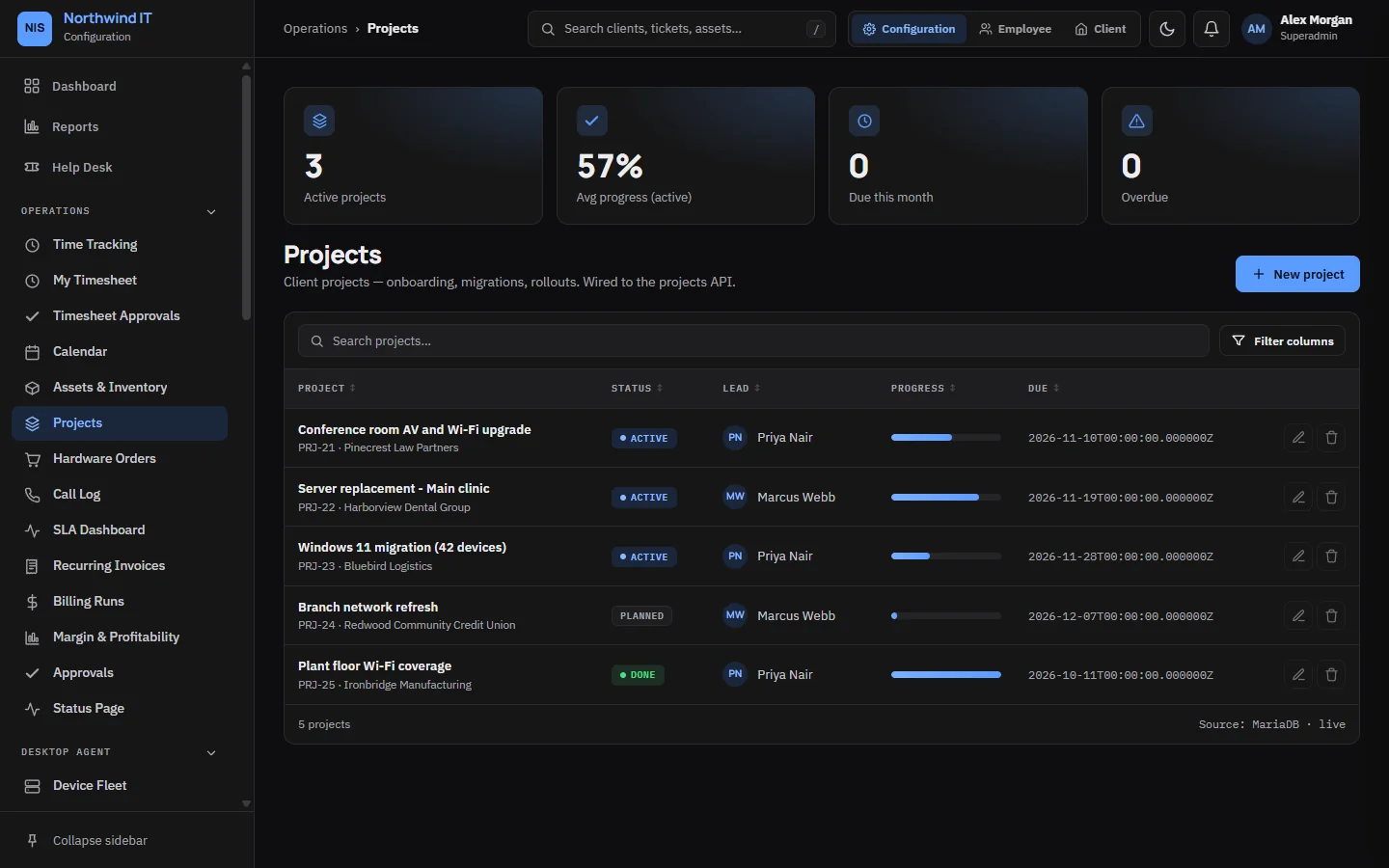
Projects Client projects with progress, owners and budgets. -
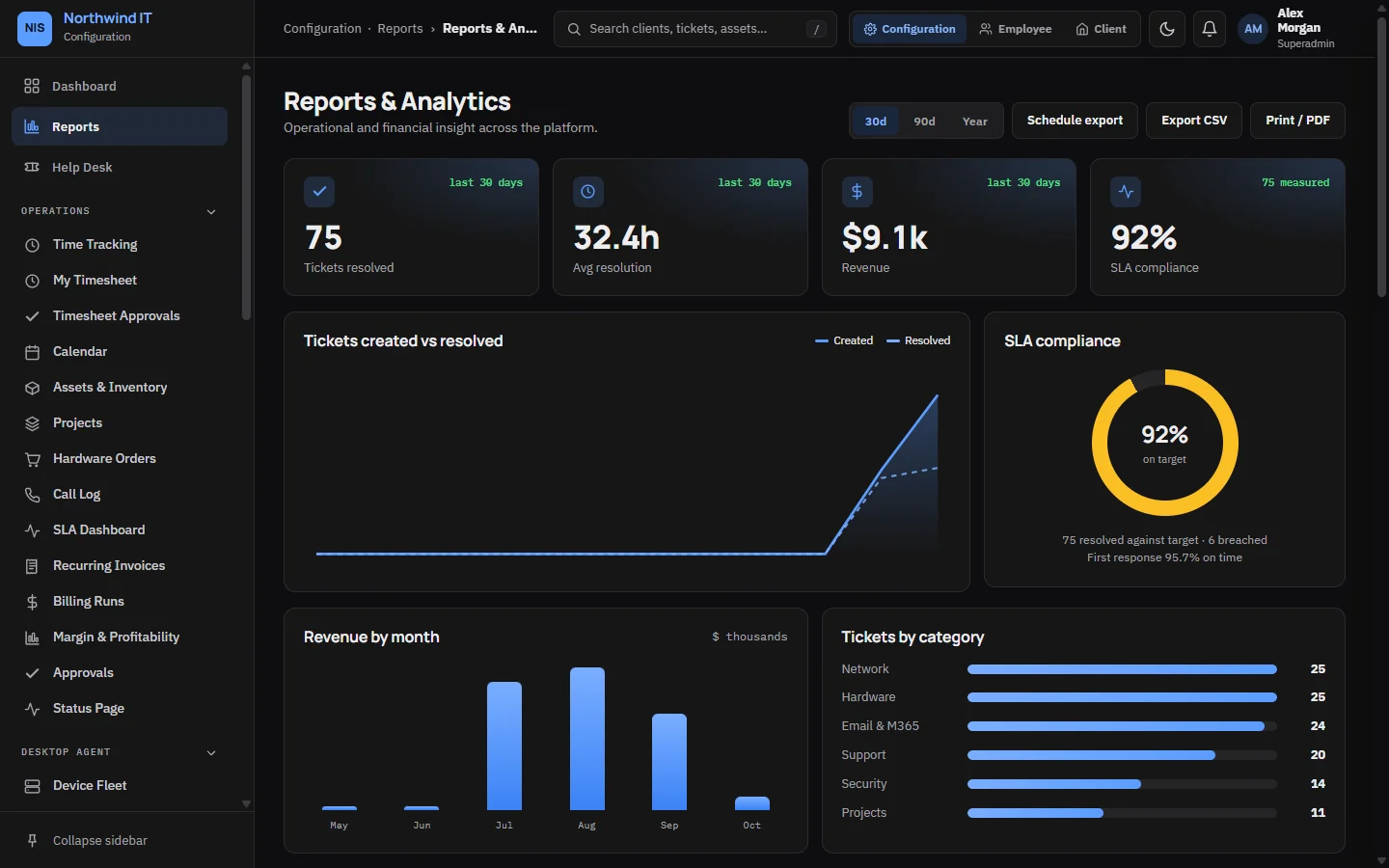
Reports Ticket trends, revenue by month, SLA compliance and tickets by category. -
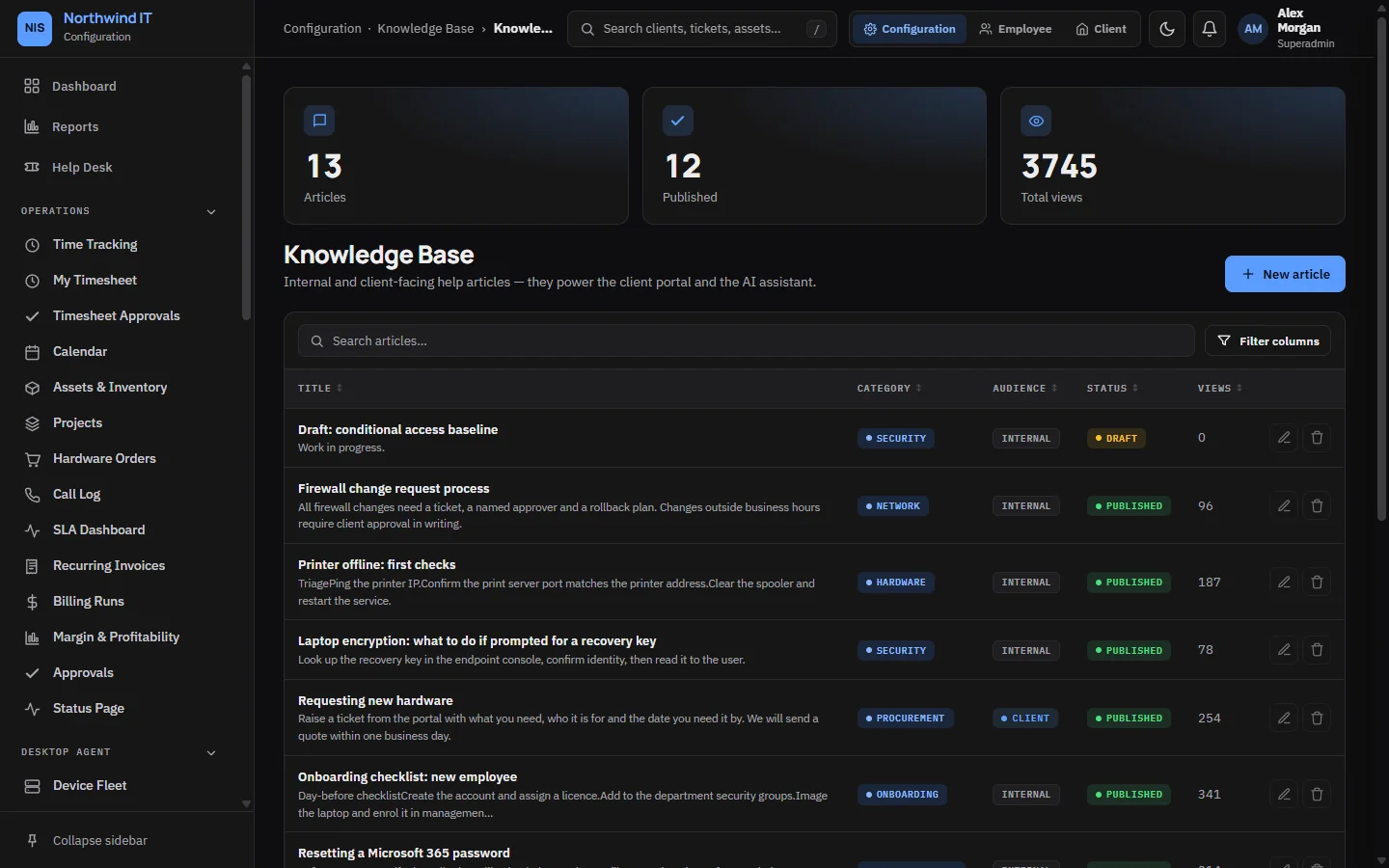
Knowledge base Internal and client-facing articles your team and clients can search. -
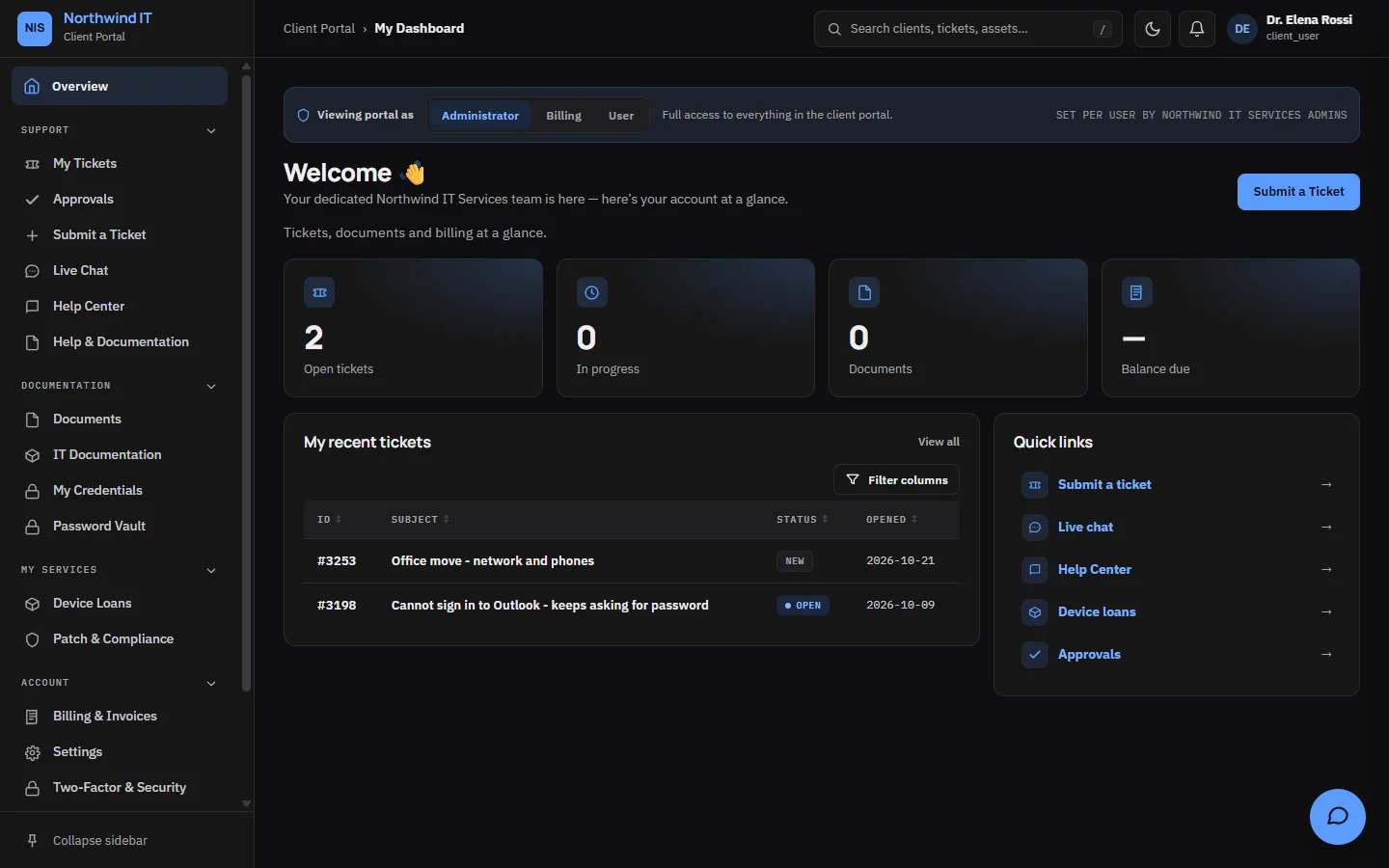
Client portal What your clients see: their tickets, documents, billing and quick links. -
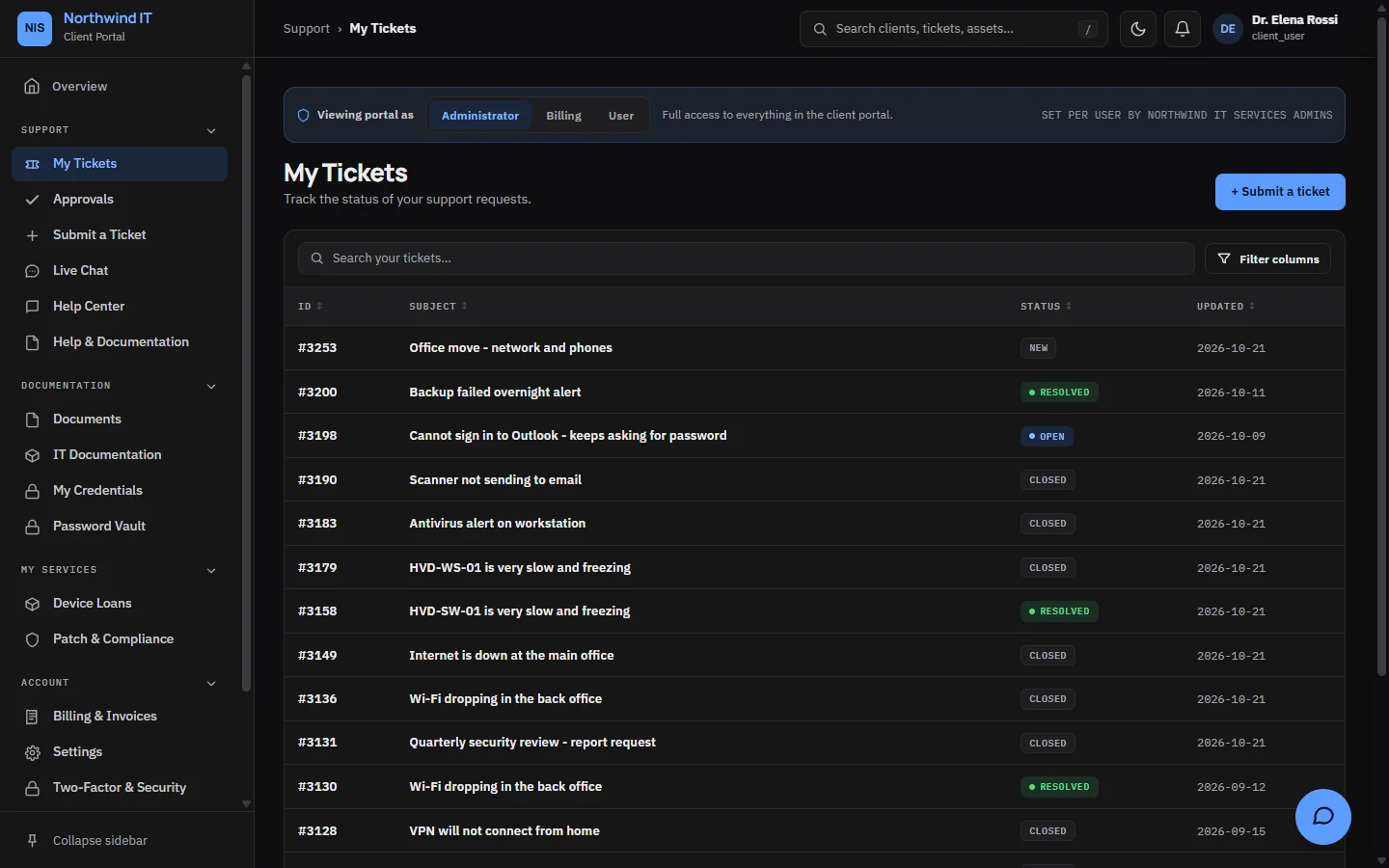
Client tickets Clients track the status of every request they have raised.
On a phone
The same app in your pocket
Every screen adapts to a phone, so technicians can check the schedule, update a ticket or look up a client from site.
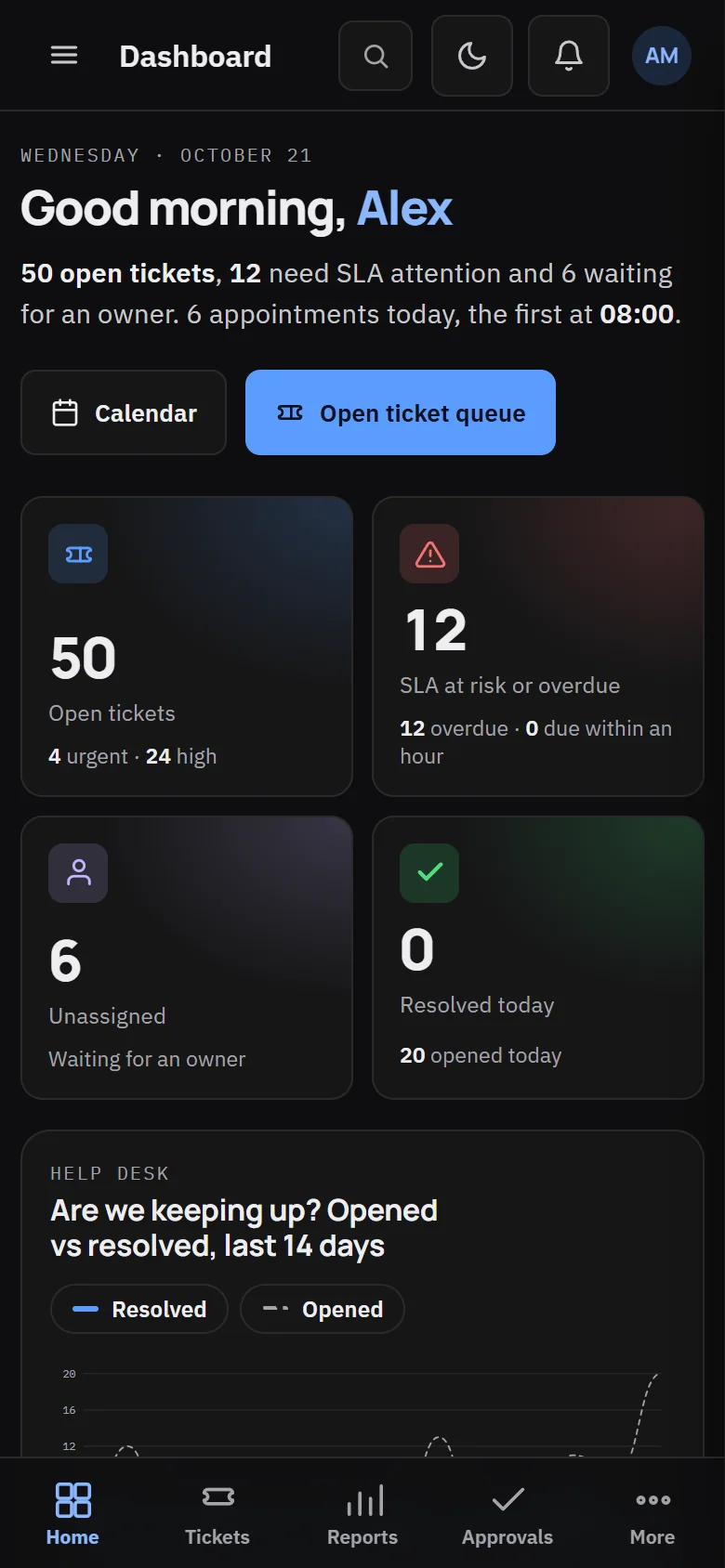
Dashboard on a phone The full PSA works on a phone, with a bottom bar for the main areas. 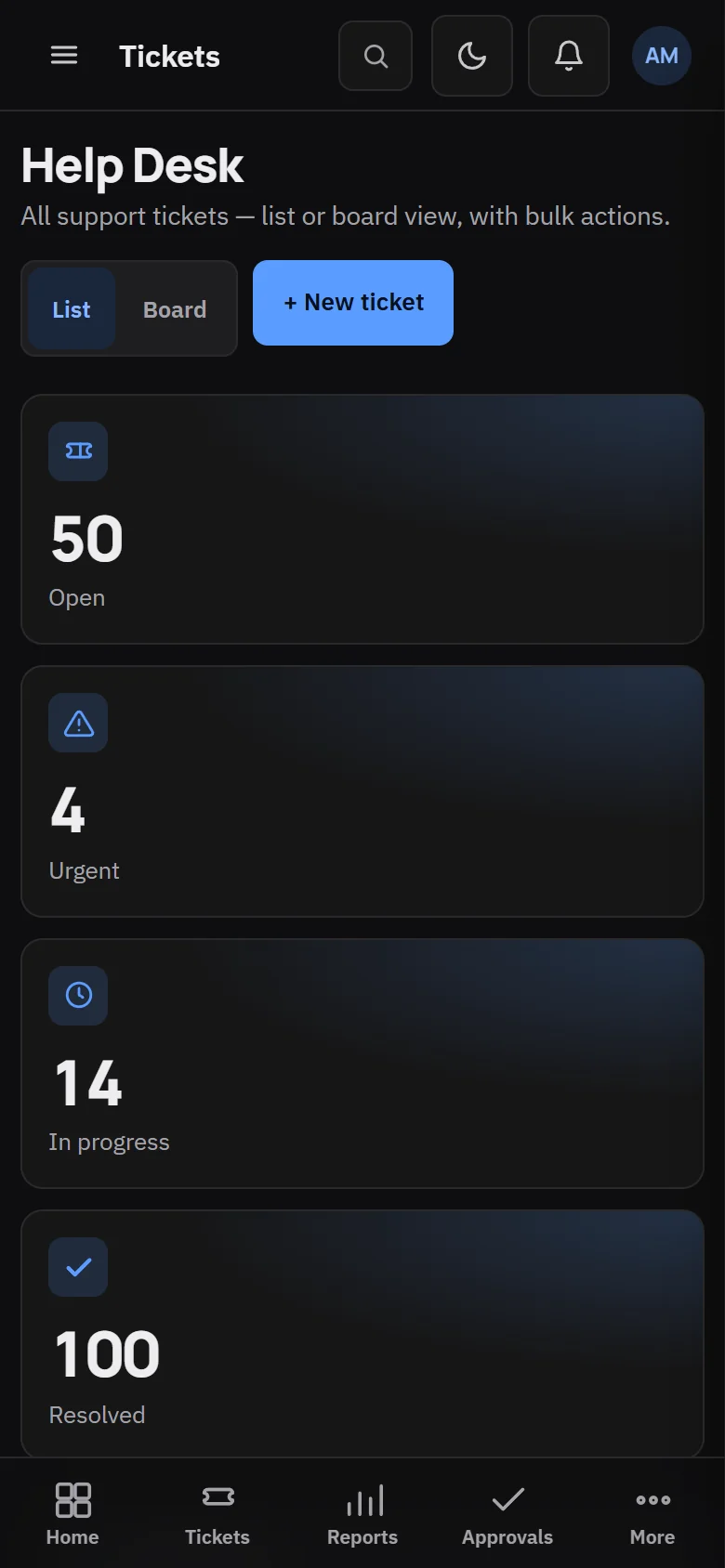
Tickets on a phone Work the queue from anywhere. 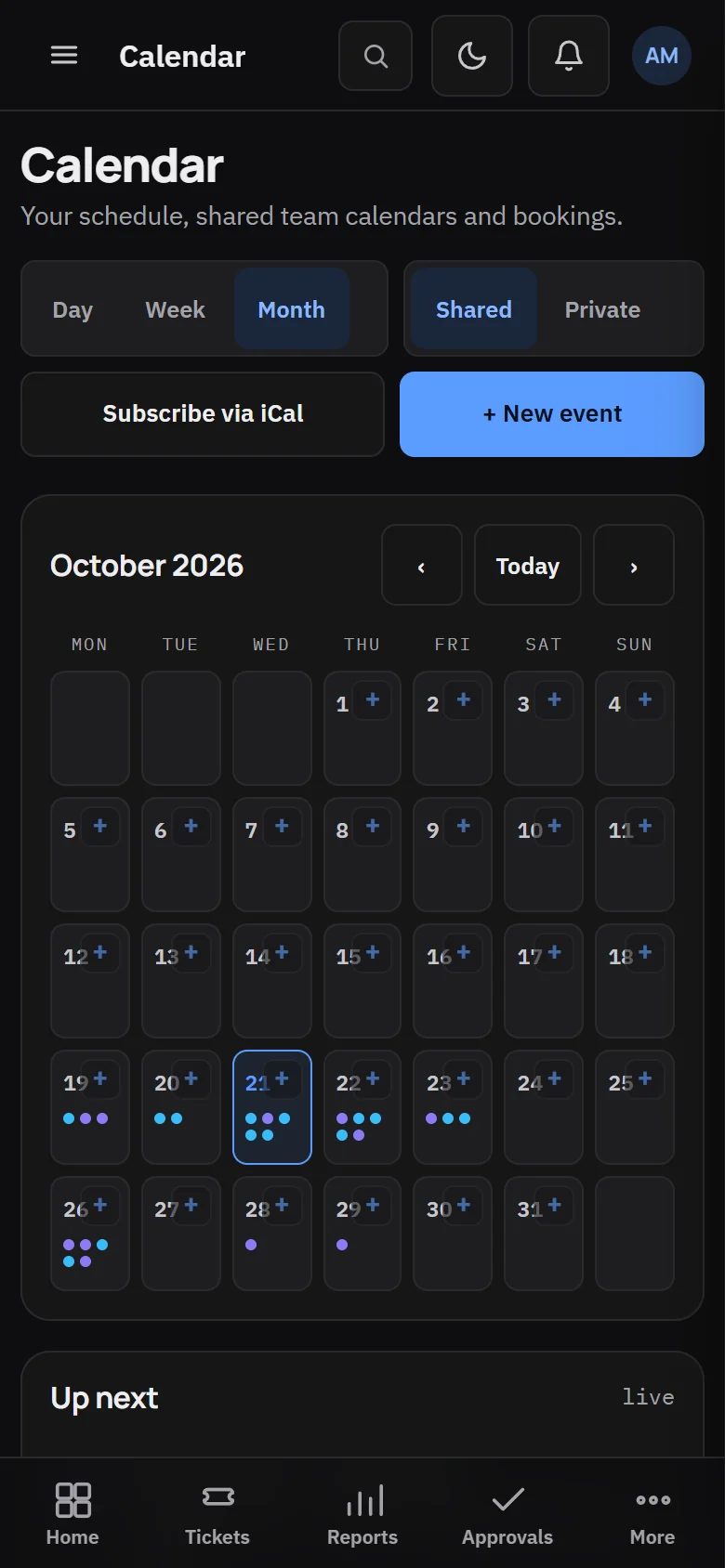
Calendar on a phone Today's schedule at a glance. 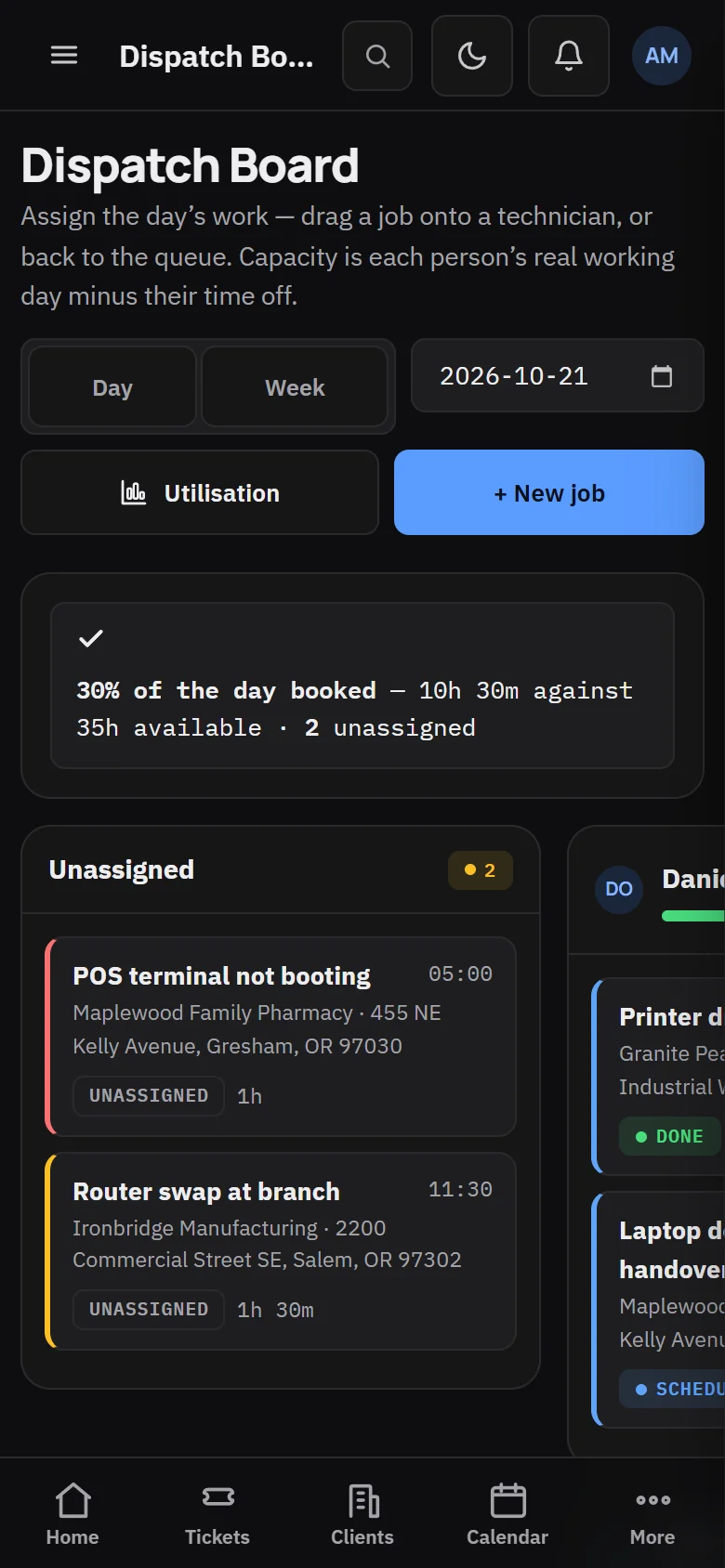
Dispatch on a phone Technicians see their jobs, addresses and times.
Also from CVN Technologies
More CVN software
Every CVN product is self-hosted, paid for once and carries your brand.
-
MSP Backups
Works with MSP Backups
MSP Backups is our self-hosted, multi-tenant backup platform. Connect it to CVN PSA and each client's backup status shows up in the PSA.
Visit MSP Backups -
CVN ERP
Not on sale yetRepair tickets, point of sale, inventory, accounting and payroll for computer repair shops.
Visit CVN ERP
Pricing
Launching soon
one price · yours forever · 1 year of updates and support included · renew for more
- Every module, with no per-technician or per-client fees
- One production domain plus one staging domain
- 1 year of updates and support included
- Keeps working if you do not renew
FAQ
Questions MSPs ask first
What does one licence cover?
One production domain plus one staging domain, with every module included. Local and test hosts such as localhost and *.test do not count. There are no per-technician or per-client fees.
What happens when the year of updates ends?
Your install keeps working on the version it has. Nothing switches off. Renew when you want another year of updates and support.
What do I need to run it?
A server running Ubuntu 22.04 or later, or Debian 12 or later, and a domain name. The one-script installer, which ships with version 1.0, sets up PHP 8.4, MariaDB, Nginx and the background services.
Can I put my own brand on it?
Yes. Your company name, logo and colour appear in the app, the client portal, emails and printed invoices.
Which AI providers does it use?
The one you connect, with your own OpenAI or Anthropic API key. Without a key, triage falls back to built-in rules and the desk works as normal.
Can I read the code?
Yes, apart from the licence-checking code, which is obfuscated. The licence and the EULA set out how you may use it.