FEATURES
Everything in CVN PSA
Everything below ships in the one licence. There are no add-on modules and no per-technician fees.
Service desk
-
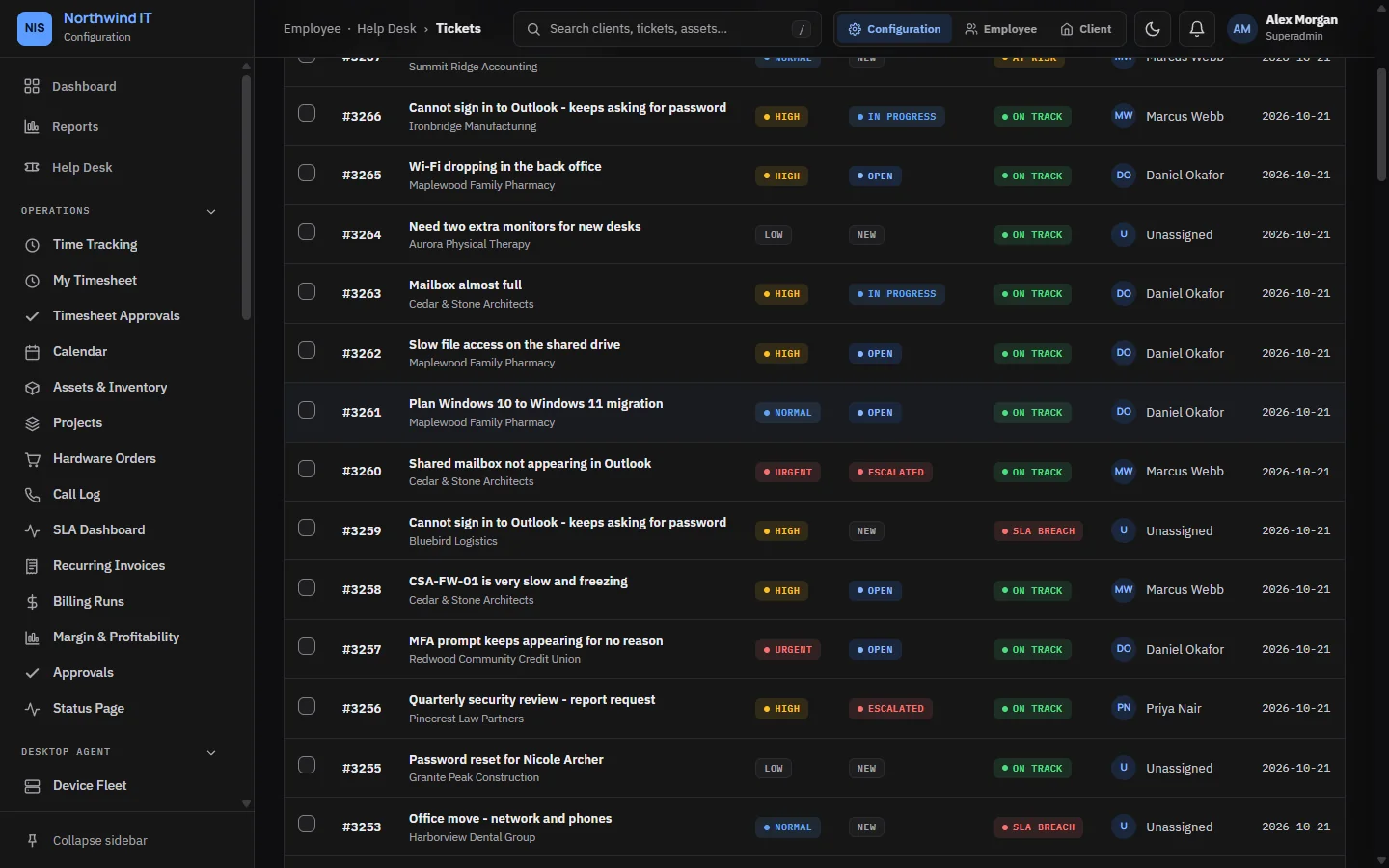
Tickets and queues
List or board view, priorities, owners, bulk actions, and internal notes kept apart from client replies.
-
SLA tracking
Response and resolution targets per contract, counted in working hours. The clock stops while a ticket waits on the client.
-
Email to ticket
The support mailbox is read every minute. New mail becomes a ticket for the client whose domain sent it, or lands in the unassigned inbox.
-
Live chat
Clients start a chat from the portal. Your team answers from the desk and turns a chat into a ticket when it needs follow-up.
-
AI triage with approval
With your own OpenAI or Anthropic key, new tickets get a category, priority, owner and summary. A drafted reply reaches the client only after a technician approves it.
-
Recurring tickets and ratings
Scheduled maintenance tickets that create themselves, and a one-click satisfaction rating when a ticket is resolved.
Dispatch and scheduling
-
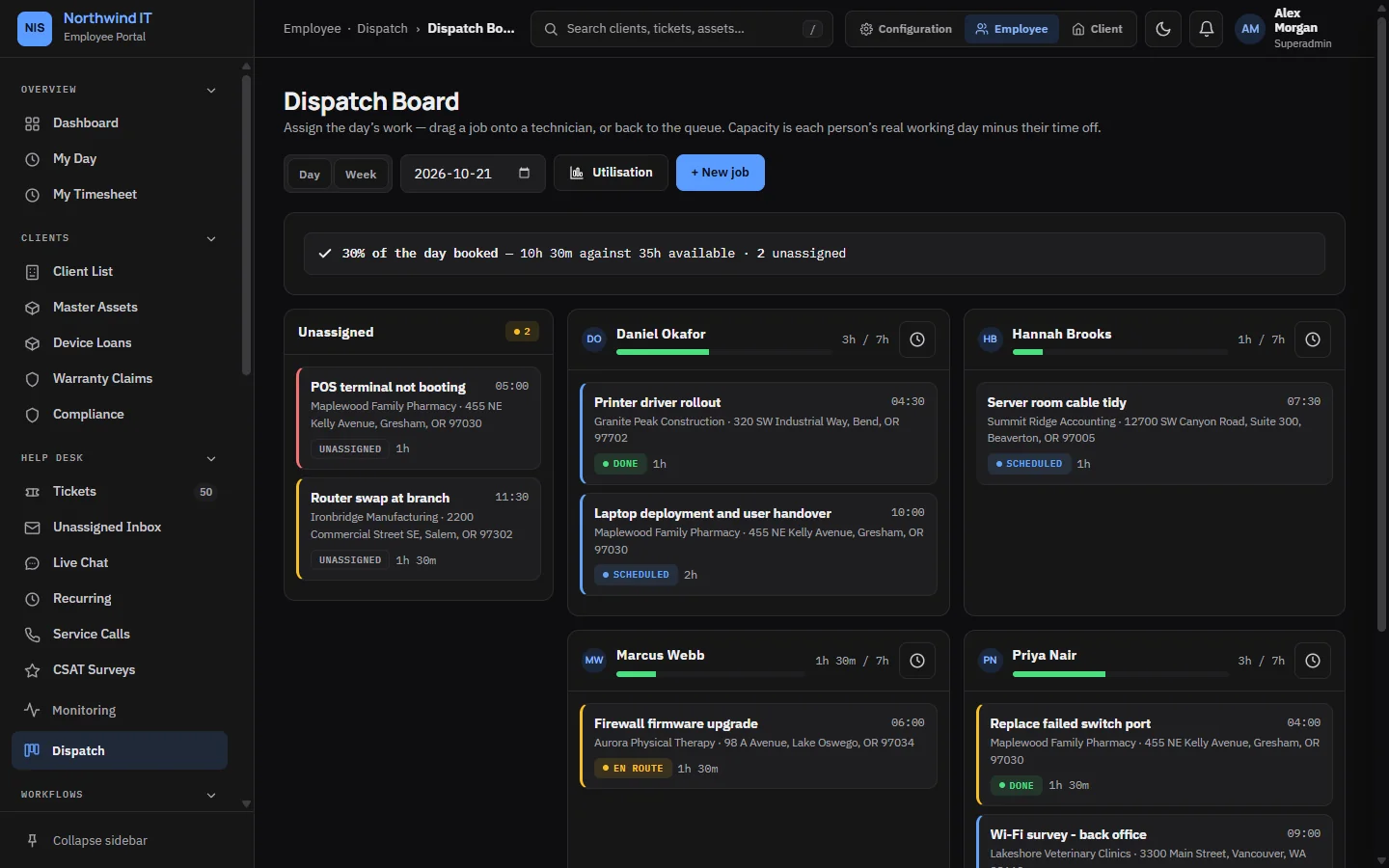
Dispatch board
Assign jobs by dragging them onto a technician. Capacity comes from each person's working pattern, less time off.
-
Shared calendar
Appointments, on-site visits and blocked time for the whole team, with a private feed link for your own calendar app.
-
Time tracking
Log time against tickets, with weekly timesheets that a manager approves or sends back.
-
My Day
A phone-sized view for technicians: today's jobs, their tickets nearest to breach and a running timer.
RMM and monitoring
-
RMM integration
Devices, health and patch state pulled from NetLock RMM every five minutes and matched to the right client.
-
Alert rules
Offline devices, failed backups, full disks, antivirus problems and overdue patches raise a ticket at the priority you set.
-
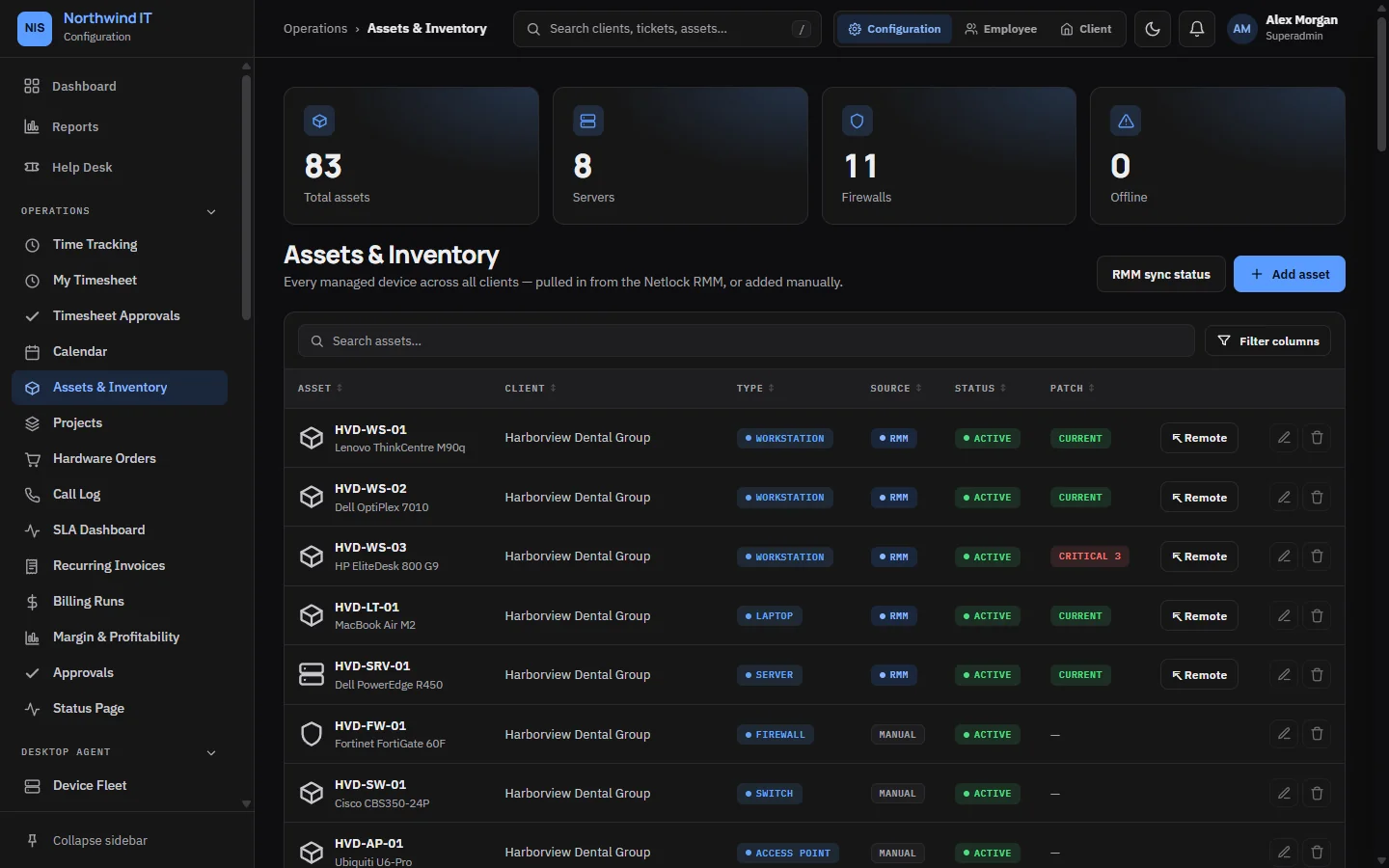
Assets and inventory
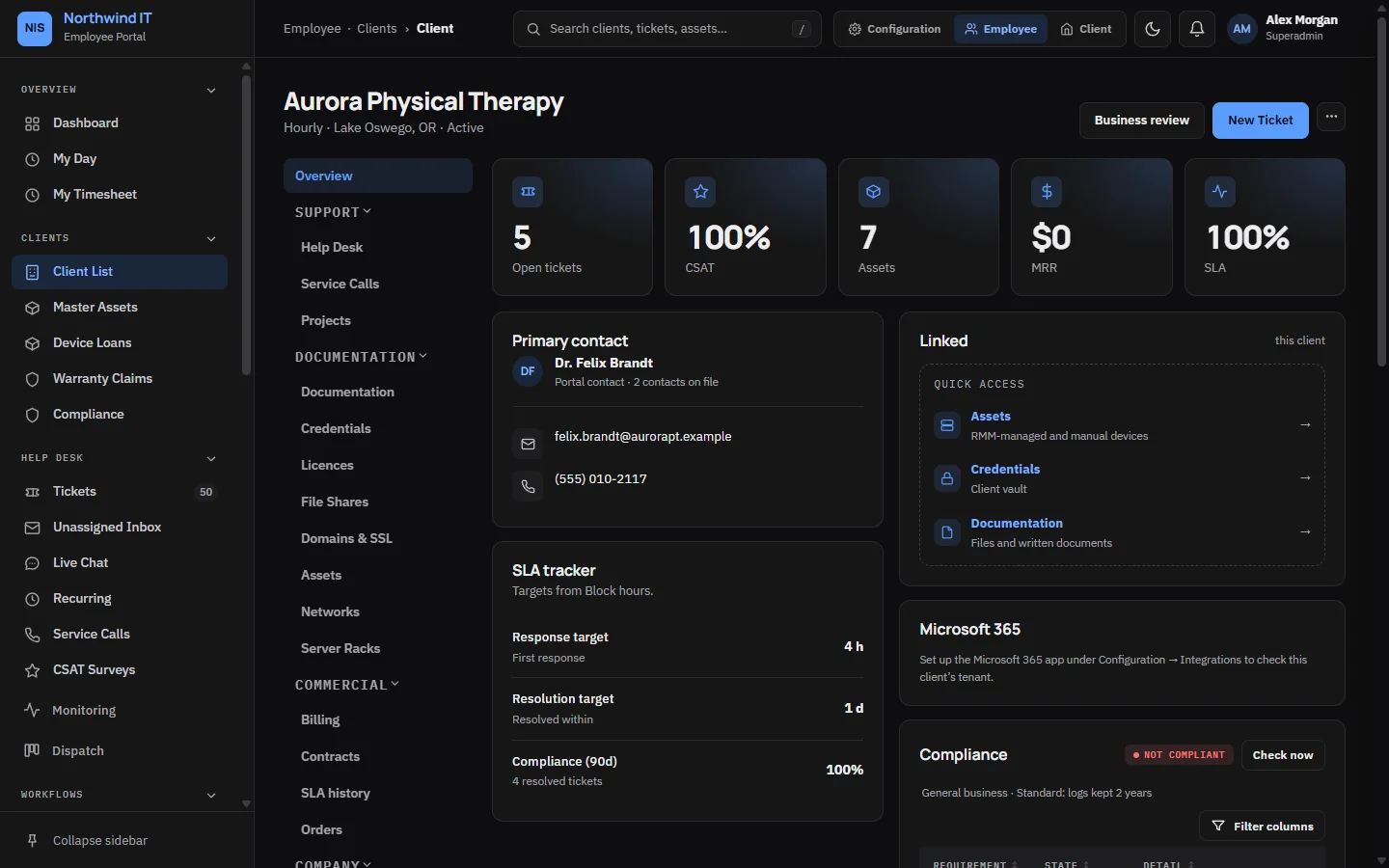
Workstations, servers and network gear per client, with warranty dates, linked tickets and service history.
-
Projects
Client projects with tasks, owners, progress and budget.
Billing and contracts
-
Contracts and retainers
Each client's plan, renewal date and SLA targets. Prepaid retainer hours burn down as time is logged.
-
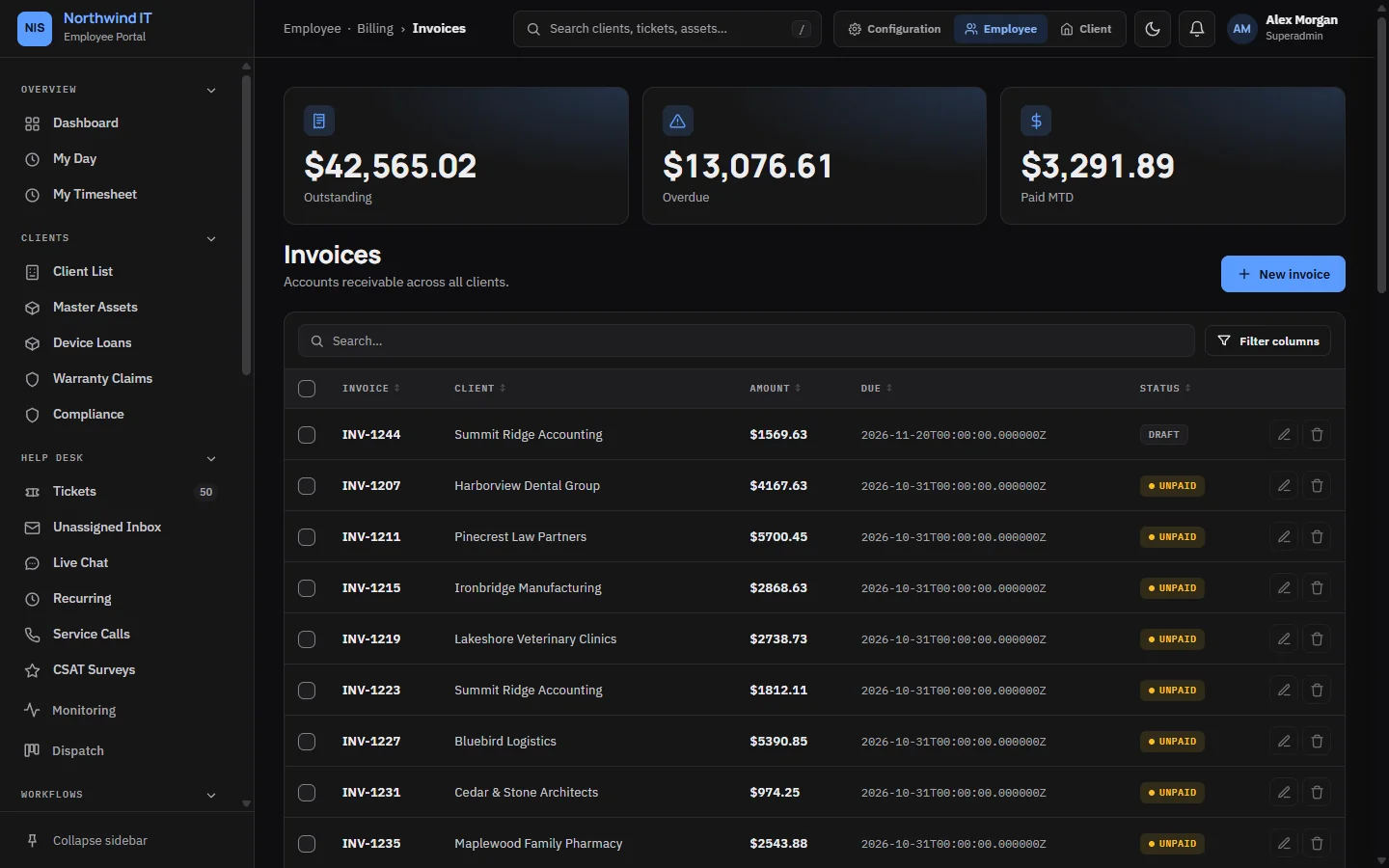
Billing runs and invoices
A monthly run drafts one invoice per client. Nothing is sent until you review it and press Send.
-
Reminders, statements and proration
Overdue reminders on the days you choose, account statements with aging, and prorated charges when a client changes plan mid-cycle.
-
Online payments
Clients pay invoices in the portal through Square or Stripe, using your own provider account.
-
Quotes and purchase orders
Quotes clients approve in the portal, and purchase orders that bill received hardware at your markup.
-
Margin per client
Revenue, labour cost and margin for each client, so you can see who is profitable.
Client and employee portals
-
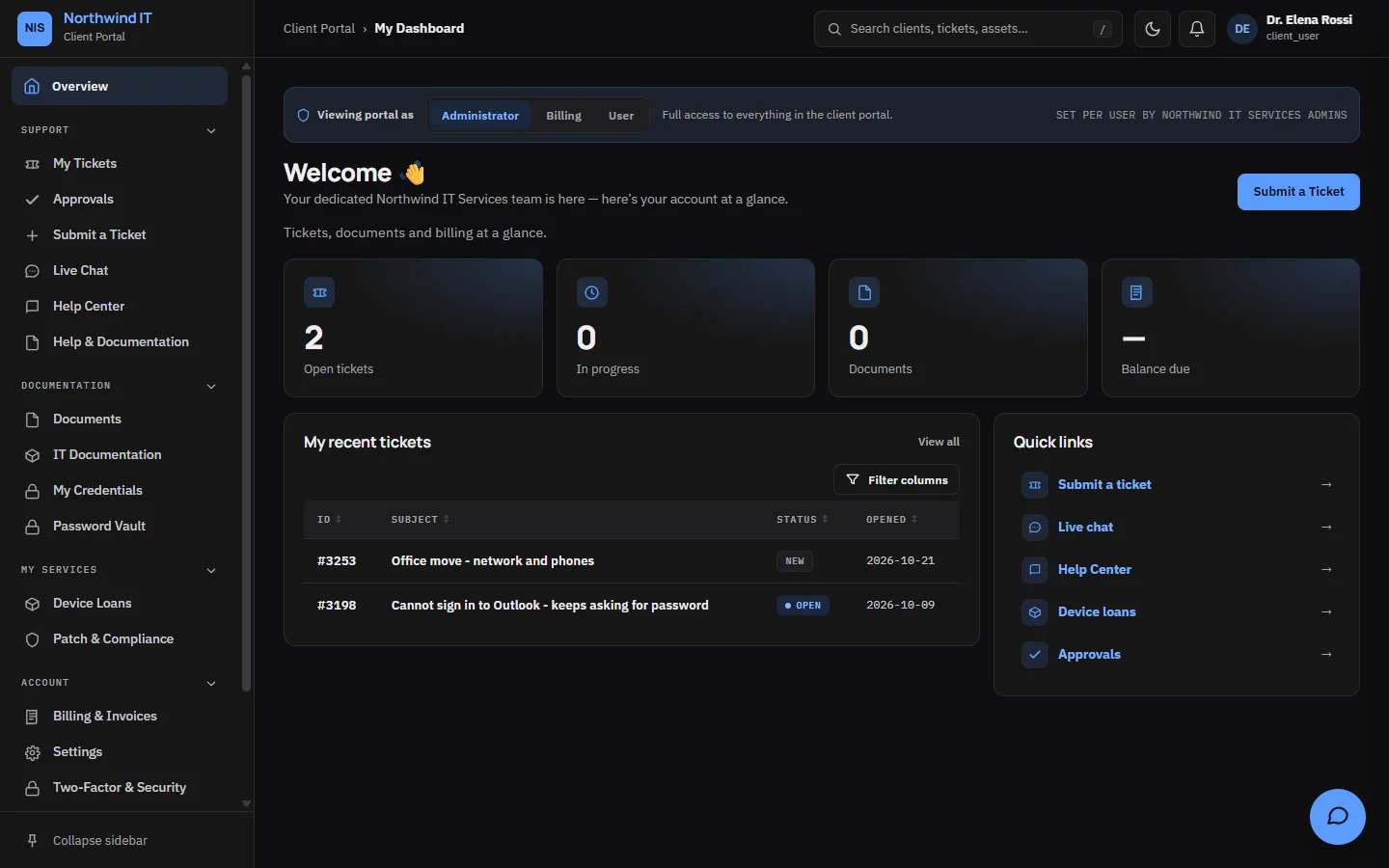
Client portal
Clients raise and follow tickets, chat with your team, approve quotes, pay invoices and read the documents you share.
-
Client access levels
Client Administrator, Client Billing and Client User, so each contact sees only what their role needs.
-
Knowledge base
Publish client-facing articles to the portal help centre and keep internal ones for your team.
-
Employee portal
Technicians sign in to their own portal for the queue, dispatch, calendar, time and client documentation.
Reporting
-
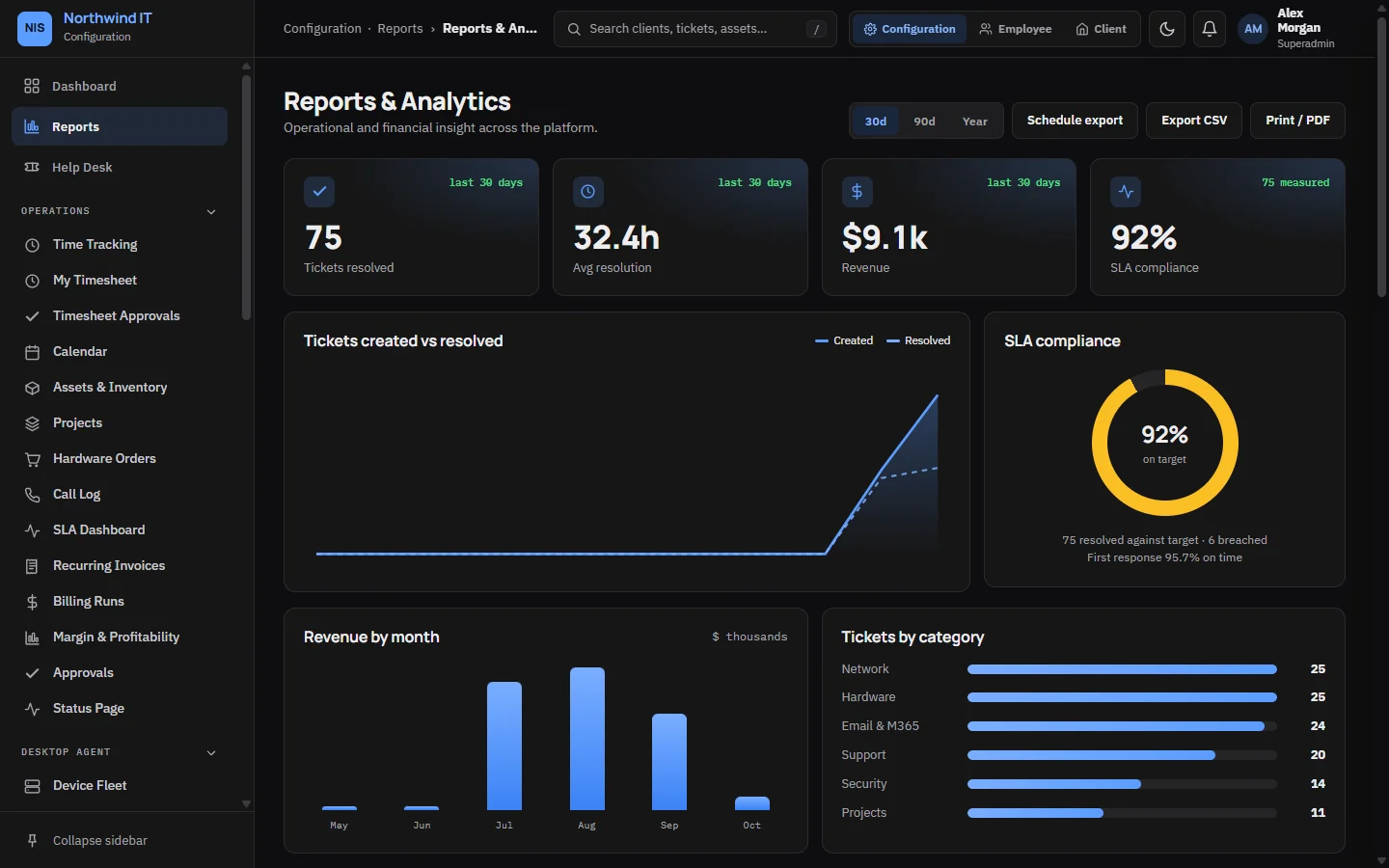
Reports
Ticket trends, revenue by month, SLA compliance and tickets by category.
-
SLA dashboard
Compliance, breaches and at-risk tickets by client and priority.
-
Scheduled report emails
Reports and the SLA summary emailed on the schedule you set.
Security and compliance
-
Two-factor and passkeys
Authenticator app, email code or passkey. Require 2FA for all staff, and per client for portal users.
-
Sessions and lockout
Staff see and end their own active sessions. Repeated failed 2FA codes lock the account for a set time.
-
Audit and who-viewed logs
Who changed what, and who opened which ticket or client record and when, with a CSV export.
-
AI control
An approved-provider list, a switch per AI feature and a log of every AI request without its text. Tickets marked sensitive never go to AI.
-
Retention
Retention presets per client. Sensitive tickets are archived 90 days after closing, and tickets are never deleted.
-
Compliance tracker
A checklist per client, checked automatically each night. Administrators get an alert when a critical item starts failing.
Integrations and API
-
Scoped REST API
API keys with read or write scope, an optional expiry date and a per-key rate limit, for your own scripts and tools.
-
Verified webhooks
Payment webhooks from Square and Stripe are checked against the provider's signature before anything is recorded.
-
MSP Backups
Connect your own MSP Backups server. Backup health shows on each device, and failed or stale backups raise tickets.
-
Phone, Teams and network
Yeastar PBX click-to-dial and call logging, Telnyx SMS, a Microsoft Teams app and UniFi alarms.
-
Public status page
A status page for your clients under your company name, with incidents your team posts.
White-label
-
Your names
The company name and portal name come from your settings. A new install reads "Service Portal" until you change it.
-
Logo and colour
Your logo, logo mark and accent colour across the staff app and the client portal.
-
Emails and documents
Every email uses your branded layout and wording you can edit. Invoices, quotes and receipts print with your company details.
-
Sign-in and feeds
Authenticator apps, calendar feeds and the installable web app show your portal name.
Also from CVN Technologies
More CVN software
Every CVN product is self-hosted, paid for once and carries your brand.
-
MSP Backups
Works with MSP Backups
MSP Backups is our self-hosted, multi-tenant backup platform. Connect it to CVN PSA and each client's backup status shows up in the PSA.
Visit MSP Backups -
CVN ERP
Not on sale yetRepair tickets, point of sale, inventory, accounting and payroll for computer repair shops.
Visit CVN ERP
CVN PSA is launching soon.
one price · yours forever · 1 year of updates and support included · renew for more