Assets and inventory
Clients › Master Assets lists every managed device across every client. Most rows arrive from your RMM. You add the rest by hand: anything the agent cannot see, such as switches, firewalls, printers and NAS units.
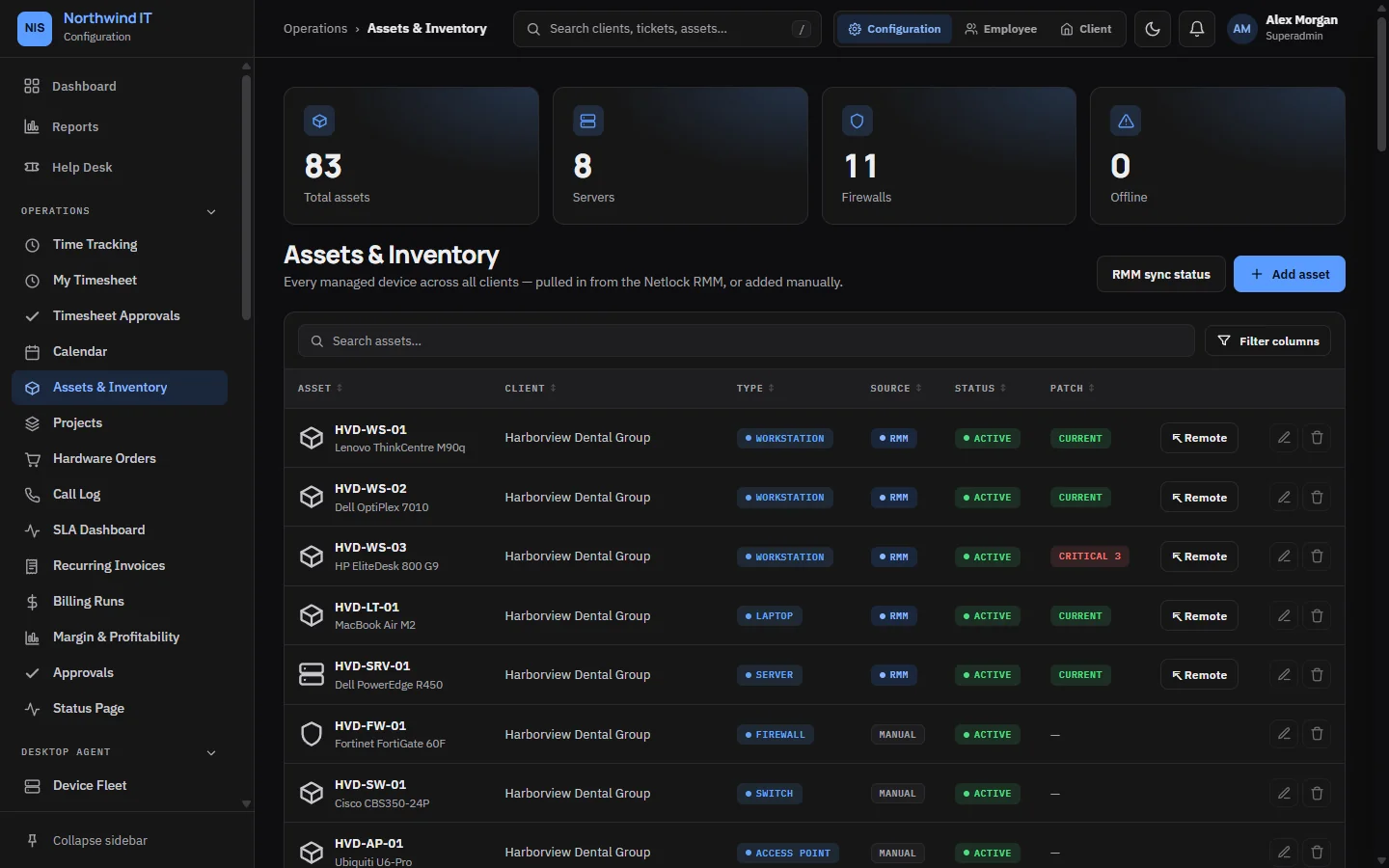
Synced and manual fields
| Kind | Fields | Who keeps it right |
|---|---|---|
| Synced | Name, OS, patch state, disk, antivirus, backup state, last seen | The RMM sync. Hand edits are overwritten on the next sync |
| Manual devices | Everything, for devices without an agent | You |
| Always yours | Warranty dates, purchase details, location, assigned user, notes | You |
The asset page
- Health, patch status and monitoring history.
- Warranty and vendor details, used for warranty claims.
- Linked tickets: the device's service history in one place.
- Related documentation and credentials.
Monthly checks
- Sync freshness. A stale last-seen date means you are looking at history, not status.
- Unmanaged devices. Anything without an agent that should have one is a blind spot.
- Warranties ending in the next 90 days. This is your hardware refresh list.
- Unsupported operating systems. Raise them with the client early.
- Orphans. Devices with no client or no owner mean the record has drifted.
Warranty claims
Clients › Warranty Claims tracks vendor claims against managed assets. Check warranty before you quote a replacement.
- Confirm coverage on the asset record. Note the serial and purchase date.
- Raise the claim with the vendor and record their reference here.
- Set the ticket to a waiting status and chase on your schedule.
- Arrange a loaner if the client is without the device.
- When it is settled, update the asset (new serial if replaced) and close the claim with the outcome.
Device loans
Clients › Device Loans tracks loaner equipment signed out to clients, with a due date and condition notes. Clients see their loans in the portal and can request one or report a return there.
- Create the loan against the client and the asset, with a realistic due date.
- Record condition and accessories at hand-over.
- Chase before the due date, not after.
- Close the loan on return, note the condition, and re-image the device before the next loan.