Reports and the SLA dashboard
Reports covers how the desk and the business are doing. Viewing reports needs the Reports permission.
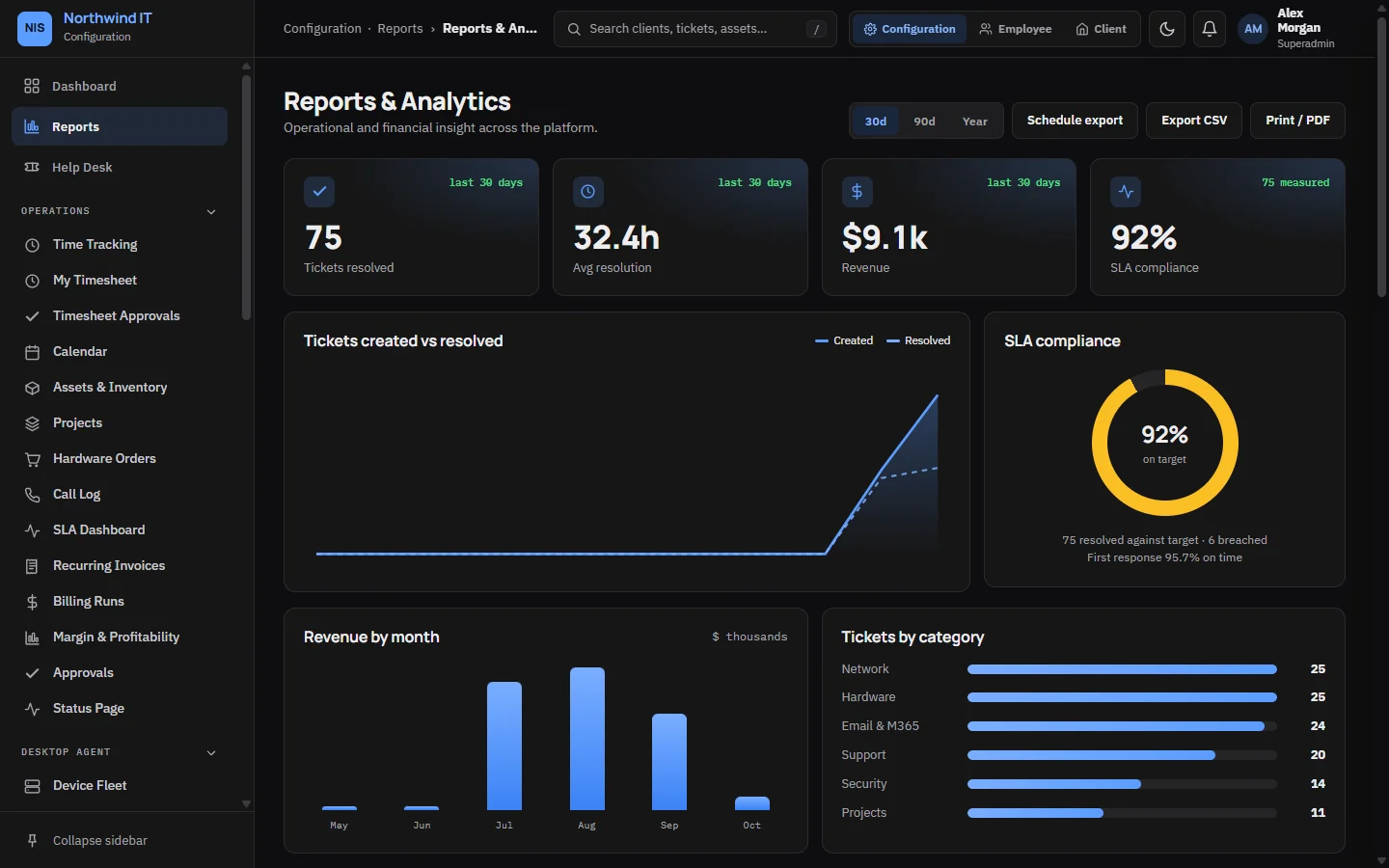
Reports
- Ticket volume and trend, opened against resolved.
- Tickets by category and by client.
- SLA compliance.
- Revenue by month.
- Time logged and utilisation by technician.
What to read each week
- Ticket volume by client and category, to spot a client whose systems are getting worse.
- SLA performance, using the SLA dashboard below.
- Unbilled time, the most common revenue leak in managed services.
- Overdue invoices.
What to read each month
- Revenue by client.
- Retainer use against hours sold.
- Satisfaction ratings against ticket volume.
- Utilisation per technician, read alongside leave and project work.
Scheduled report emails
Turn on report emails in the reports settings to have the reports and the SLA summary emailed on a schedule. They are sent at 07:15 on the days the schedule falls due.
The SLA dashboard
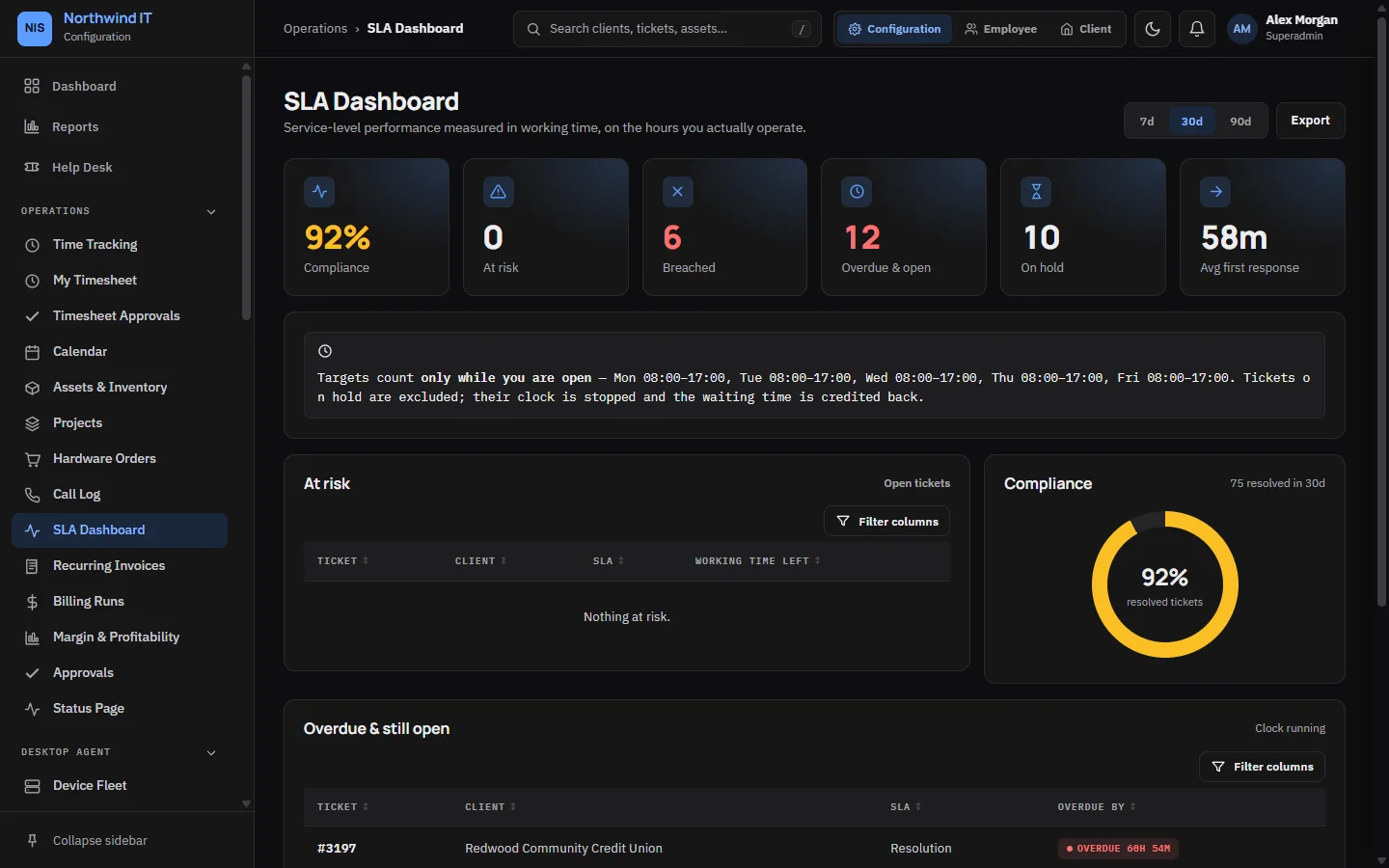
The SLA dashboard shows performance against each client's contract targets: at-risk tickets, breaches, and compliance by client and priority.
- At risk tickets can still be saved. Work this column first.
- Breaches clustered on one client point at a contract that was sold wrong or a client who needs more resource.
- Long paused time points at chasing, not engineering.
After a breach:
- Check it is real: the contract, the calendar and the paused periods.
- Record the cause on the ticket.
- Tell the client before they find it, with what you are changing.
- Each month, group the causes and fix the most common one properly.
Margin and profitability
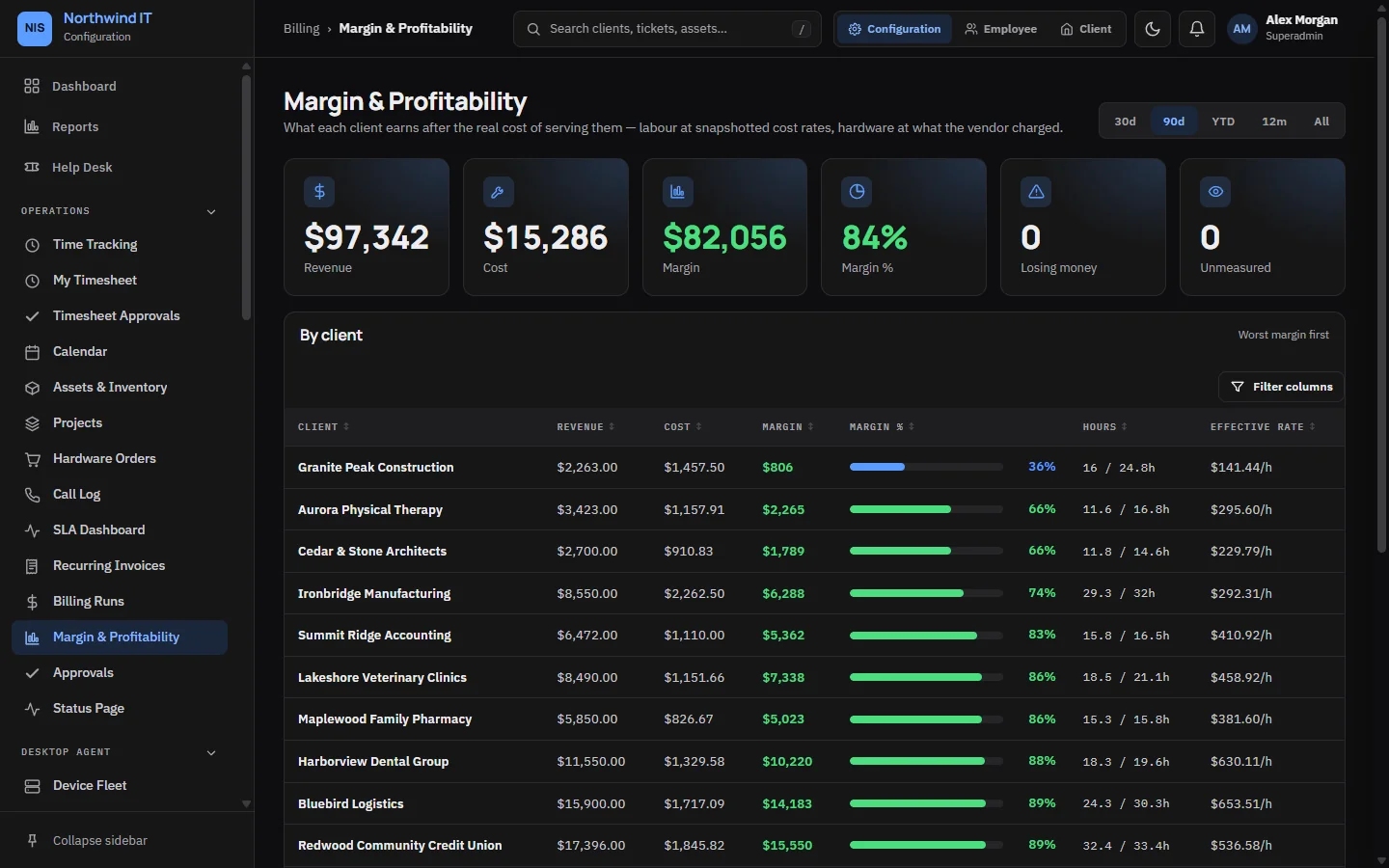
Margin shows revenue, labour cost and margin for each client, so you can see which clients are profitable. It needs billing access.