Tickets and the queue
Help Desk › Tickets holds every ticket you are allowed to see. A ticket is a record your client, a colleague and possibly an auditor will read, so write it that way.
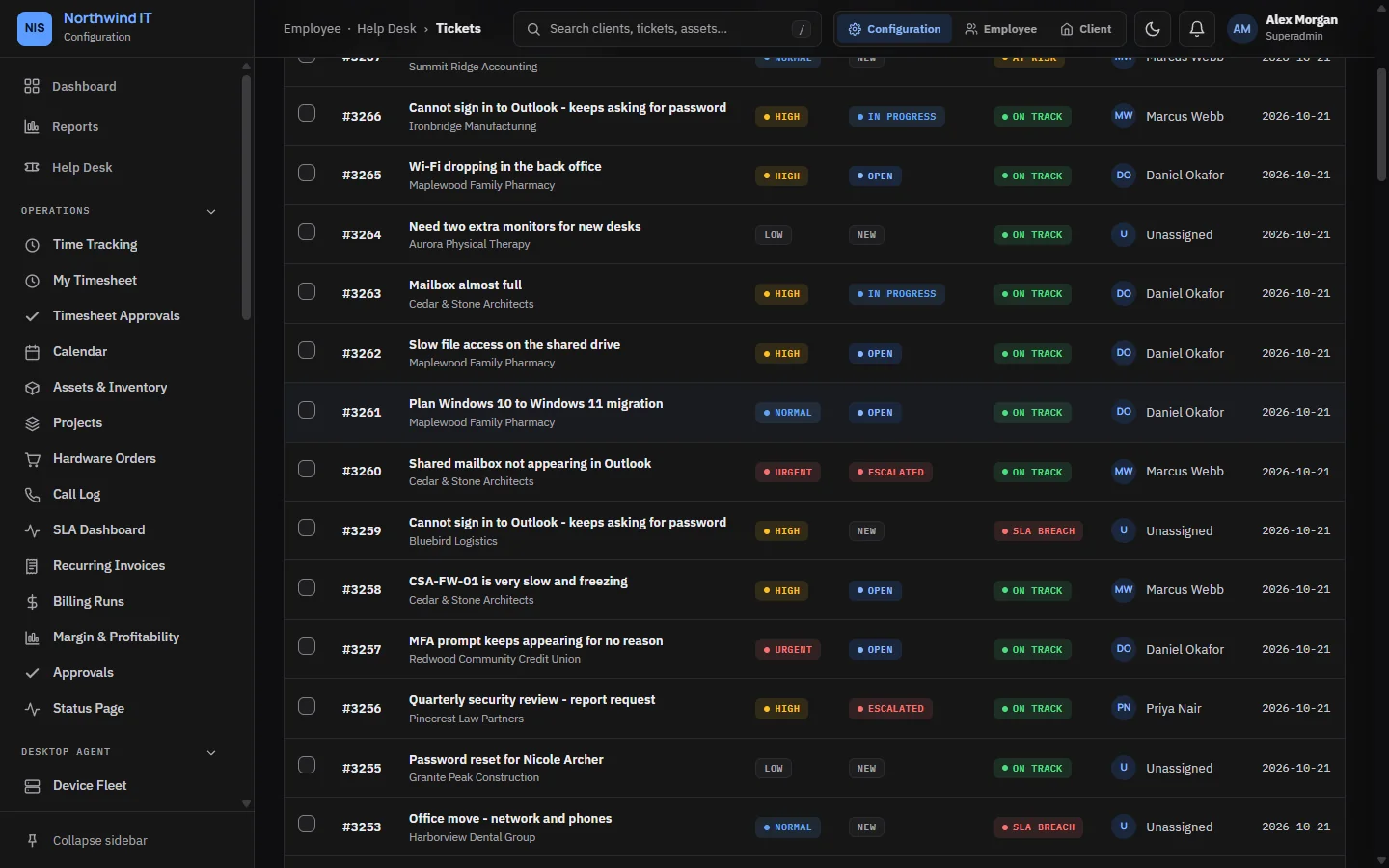
List and board view
The switch at the top of the queue changes the view:
- List is dense and sortable. Use it for triage. Search matches subject, client, assignee and ticket number.
- Board shows status columns. Drag a card to change its status. The same rules apply as editing the ticket, and the client sees the change.
Select rows in the list to open the bulk bar: set status, assign to me, mark resolved or delete.
Work a ticket
- Assign it to yourself before you start, and check the priority. If you change it, say why in an internal note.
- Send a first response that says what you can see, what you will try and when you will update next.
- Work it in the open. Client replies are visible to the client. Internal notes are not. Attach screenshots and exports.
- Log time as you go. See Time tracking and timesheets.
- Resolve with a real note: what was wrong, what you changed and what would stop it happening again.
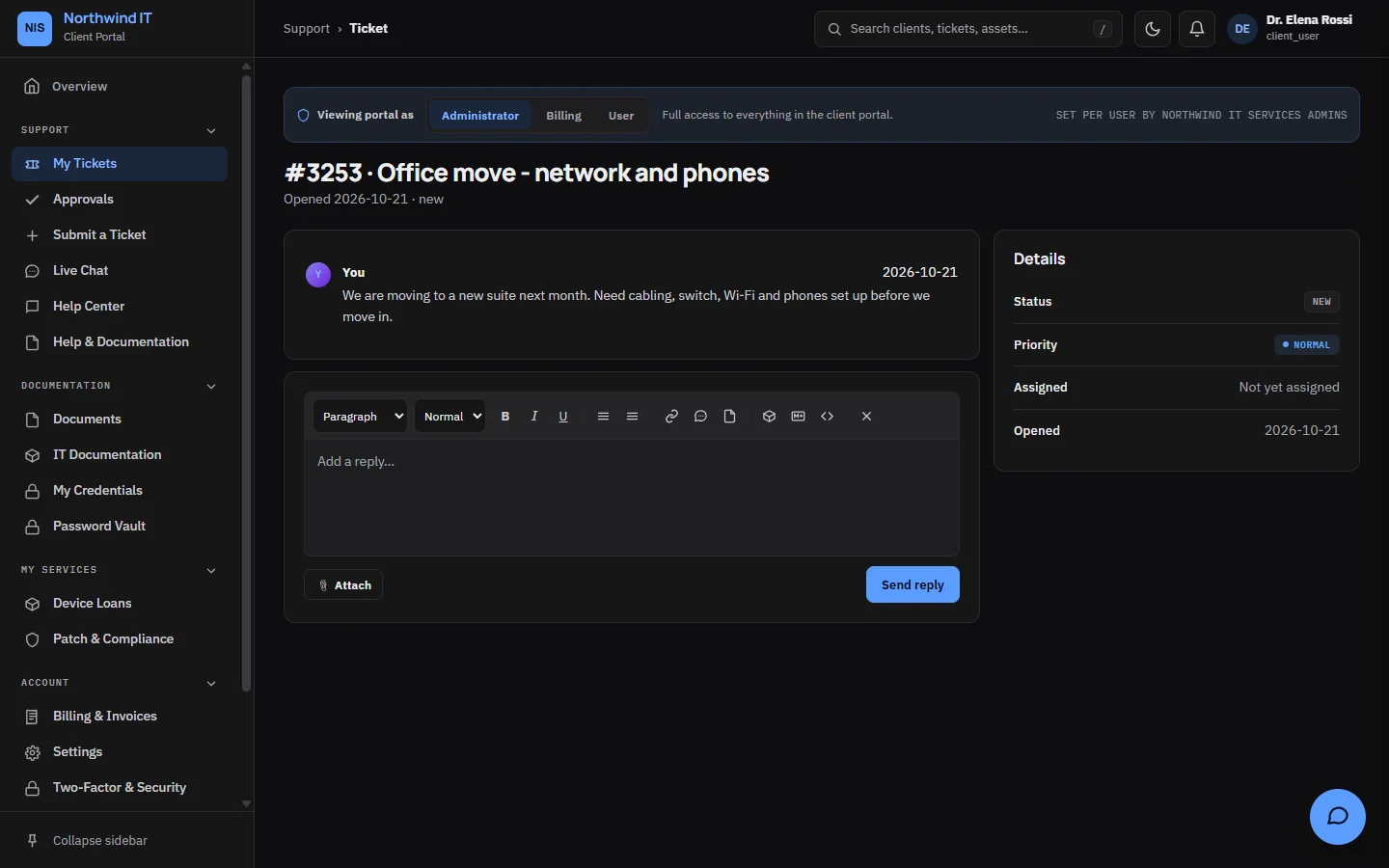
Replies and notes use one editor with headings, lists, links, code, images and video links. You can also write in Markdown or edit the raw HTML. Everything is cleaned before it is stored, so scripts and embedded frames never get in.
Statuses
A new install has these statuses. You can rename them, add your own and change their colours under Tickets › Statuses.
| Status | Use it when | SLA clock |
|---|---|---|
| New | Not yet picked up | Running |
| In progress | Being worked | Running |
| Waiting on client | Blocked on the client's information, access or approval | Paused |
| Waiting on parts | Blocked on an order or a third party | Paused |
| Escalated | Handed up to a senior technician or lead | Running |
| Resolved | Fixed and the client told | Stopped |
| Closed | Finished | Stopped |
Which statuses pause the clock is a setting. See Priorities and SLAs.
Resolved tickets close by themselves after the number of days you set in Defaults. Set it to 0 to turn this off. A reopened ticket starts that count again.
The unassigned inbox
Email from a sender the app cannot match to a client lands in Help Desk › Unassigned Inbox.
- Identify the organisation from the signature, domain or phone number.
- Set the client. If the sender is a new contact at an existing client, add them to the client so the next message matches.
- Set category and priority, then assign it.
- If it is not support work, such as spam or a supplier invoice, close it with a reason.
Duplicates and related tickets
- Merge folds duplicates of the same problem for the same client into one ticket, with one SLA.
- Parent and child groups separate tickets caused by one event, such as an outage that hits three clients. Each child keeps its own SLA.
- Link records that two tickets are connected, without either one owning the other.
Repeat emails and replies are added to the open ticket they belong to rather than opening a new one. The same goes for a monitoring alert that fires again on the same device. Matching never crosses from one client to another.
Recurring tickets
Help Desk › Recurring Tickets creates tickets on a schedule, such as a monthly maintenance review or a weekly backup check.
- Set the name, client, frequency and the technician or team it lands on.
- Point the description at the runbook that holds the steps.
- Save and check the next run date.
- Turn a schedule off rather than deleting it when a client pauses the service. The history stays.
Satisfaction ratings
Resolving a ticket sends the client a one-click rating. Help Desk › CSAT Surveys groups the results by technician, client and period. Read negative ratings with the ticket thread open, and look for patterns rather than single scores.
Sensitive tickets
Anyone who can edit tickets can mark a ticket, or one of its files, as sensitive. A sensitive ticket is never sent to an AI provider. Ninety days after it closes, its content is archived until someone with permission reopens it. See Compliance and retention.