Invoices and billing runs
Billing › Invoices is your accounts receivable across every client, with outstanding, overdue and paid-to-date totals at the top.
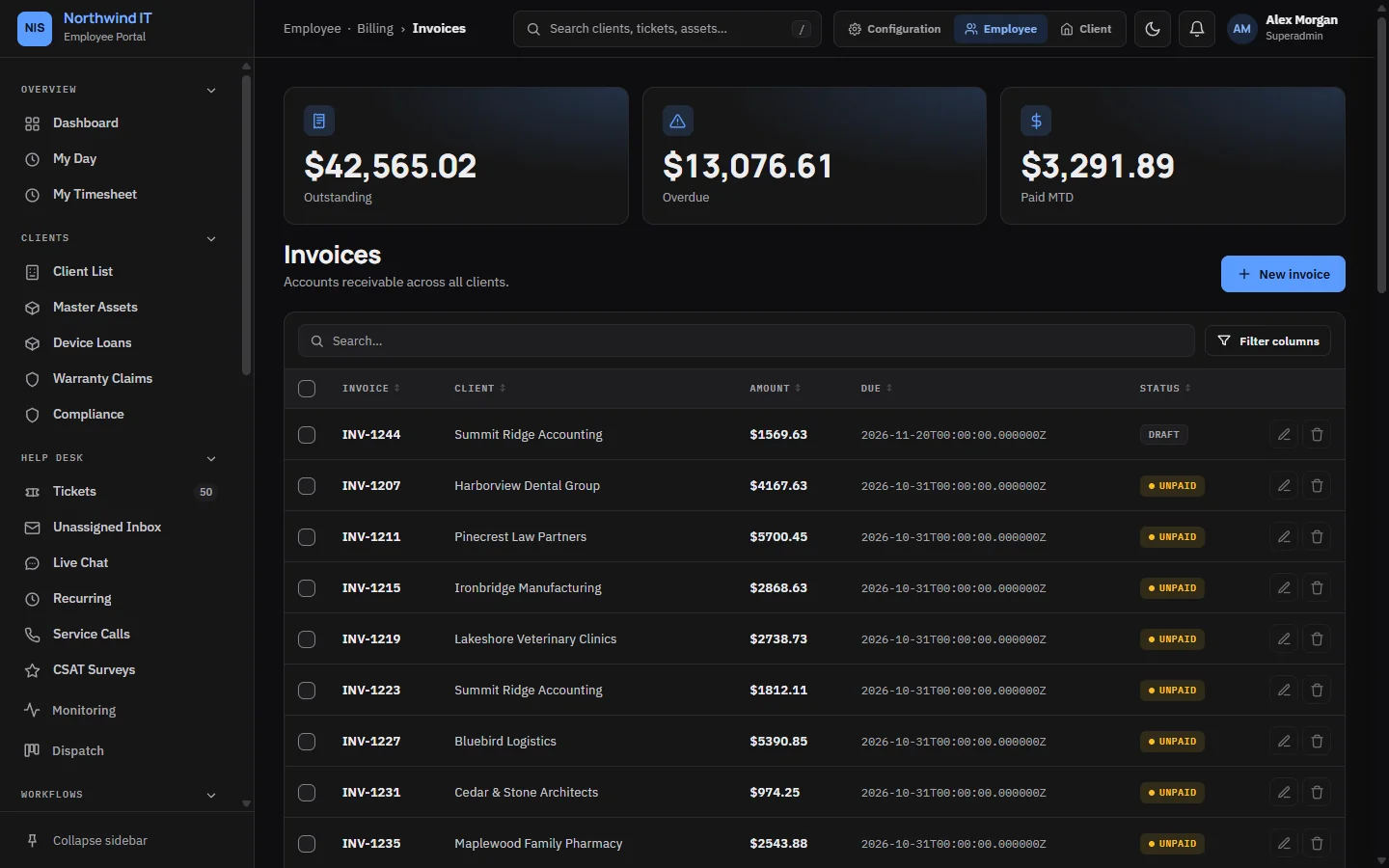
Invoices
- Every invoice starts as a draft. Nothing reaches the client until you press Send, which also marks it Sent. The client then sees it in the portal and gets an email.
- An invoice needs at least one line: description, quantity and unit price. An invoice with no lines is refused.
- Totals come from the lines. To fix a wrong amount, fix the line. Do not raise a second invoice.
- Status is what the server recorded. Recording a payment moves an invoice to Part paid or Paid by itself. Change the status by hand only to correct a mistake.
Raise an invoice by hand
- Create the invoice against the client and check the payment terms.
- Add lines, or pull in unbilled time and received purchase-order items.
- Choose the tax rate. Never type a tax amount by hand.
- Read it as the client would: every line clear, every hour explained.
- Press Send.
When a client queries an invoice, open a ticket for it so the conversation and the outcome are on record.
The monthly billing run
The billing run drafts one invoice per active client for a period. Each invoice collects, in this order:
- the contract's monthly fee,
- unbilled billable time that no retainer absorbed,
- hours used beyond a prepaid retainer,
- billable mileage,
- purchase orders received but not yet billed.
The run only ever creates drafts. You review and send them.
Run it
- Open Billing Runs and choose the period.
- Use Preview to see what each client would be charged, without writing anything.
- Start the run. Each client is drafted on its own, so one client's error does not stop the rest. The run keeps a record of what it did and any client it could not bill.
- Review the drafts and send them.
To run it automatically, turn on automatic billing and choose the day of the month in the finance settings. It then runs at 06:00 on that day.
A run is safe to repeat. Everything it bills is marked as billed, so a second run over the same period picks up only work that arrived since. Fix a missing rate, run again, and only the missing items are added.
Recurring invoices
Operations › Recurring Invoices holds schedules for fixed charges that do not come from a contract, such as hosting. Each one has an amount, a frequency and a start date. The scheduler checks every hour for invoices that are due.
Keep generated invoices as drafts until you have checked a full cycle.
Statements
A client's statement lists every open invoice with its balance and age, grouped as current, 1 to 30, 31 to 60, 61 to 90 and over 90 days. Open it from the client and send it by email from the same screen.
Proration
When a client changes plan part-way through a billing period, the proration tool works out the difference for the days left. A positive result is a charge to add. A negative result is a credit. It counts whole days.
For payments and reminders, see Payments and reminders.