Clients and contacts
Clients lists every organisation you support. Opening one gives you the whole picture on one page: contacts, sites, contract and SLA, open tickets, assets, documents, billing and compliance.
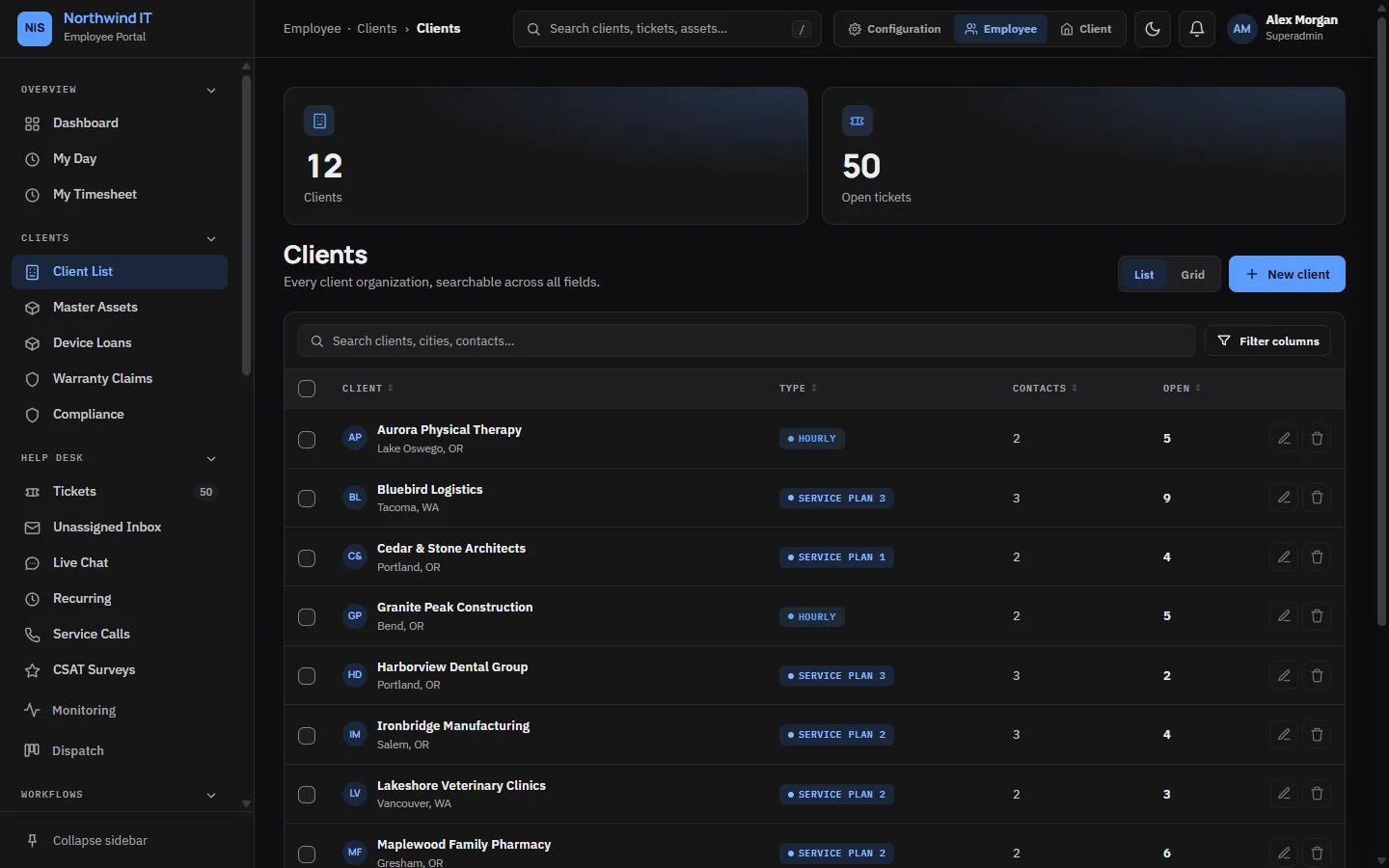
Add a client
- Open Clients and add a new client with its legal name and type.
- Add the primary contact's email and phone.
- List the client's email domains. Email-to-ticket uses them to file incoming mail under the right client. See Email to ticket.
- Add each site under Locations, with access notes: parking, alarm codes, opening hours and who holds keys.
- Set the account manager, hourly rate and payment terms.
- Add a contract so the client's SLA targets are set.
Then invite the client's people to the portal at the right access level.
The client page
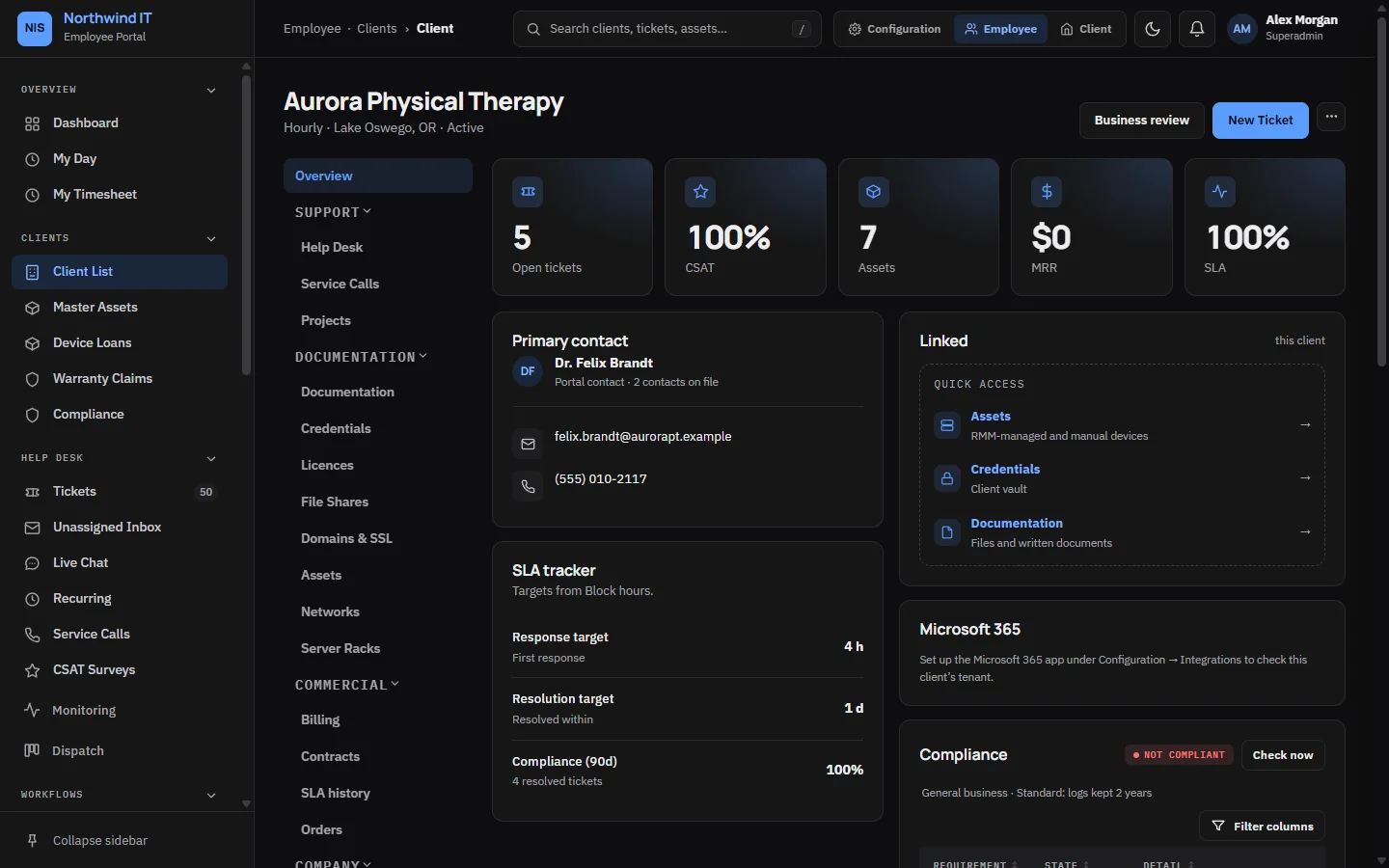
Read these before you work on a client's systems:
- Contract and service plan: what is in scope and what needs a quote.
- SLA targets: this client's clock, which may differ from your defaults.
- Primary contact and approvers: who can say yes to work and spending.
- Site and access notes.
- Recent tickets: a new problem is often last month's problem coming back.
Notes on the client hold anything else the team should know. Keep the record current. When you learn a contact has left or a number is dead, fix it there and then.
Health score
Each client gets a health score from 0 to 100, worked out every night from five factors over the last 90 days. The reasons are shown with the score. A factor with no data, such as a client with no monitored devices, is left out rather than counted against them.
Quarterly business reviews
Staff can print a quarterly business review pack for a client and save it as PDF from the browser. It is staff-only on purpose: someone should read it before the client does, and the internal version shows margin.
Compliance profile
Each client has an industry, a retention preset and a switch that requires two-factor sign-in for all its portal users. These drive the compliance tracker. Changing them needs the Clients · Compliance permission.
Removing a client
Deleting a client moves it to Trash, where it can be restored until the trash retention window ends. Tickets are never deleted.