Contracts and retainers
A contract records what a client buys from you and what you promised in return. Ticket SLAs and the monthly billing run both read from it, so a missing or wrong contract shows up everywhere.
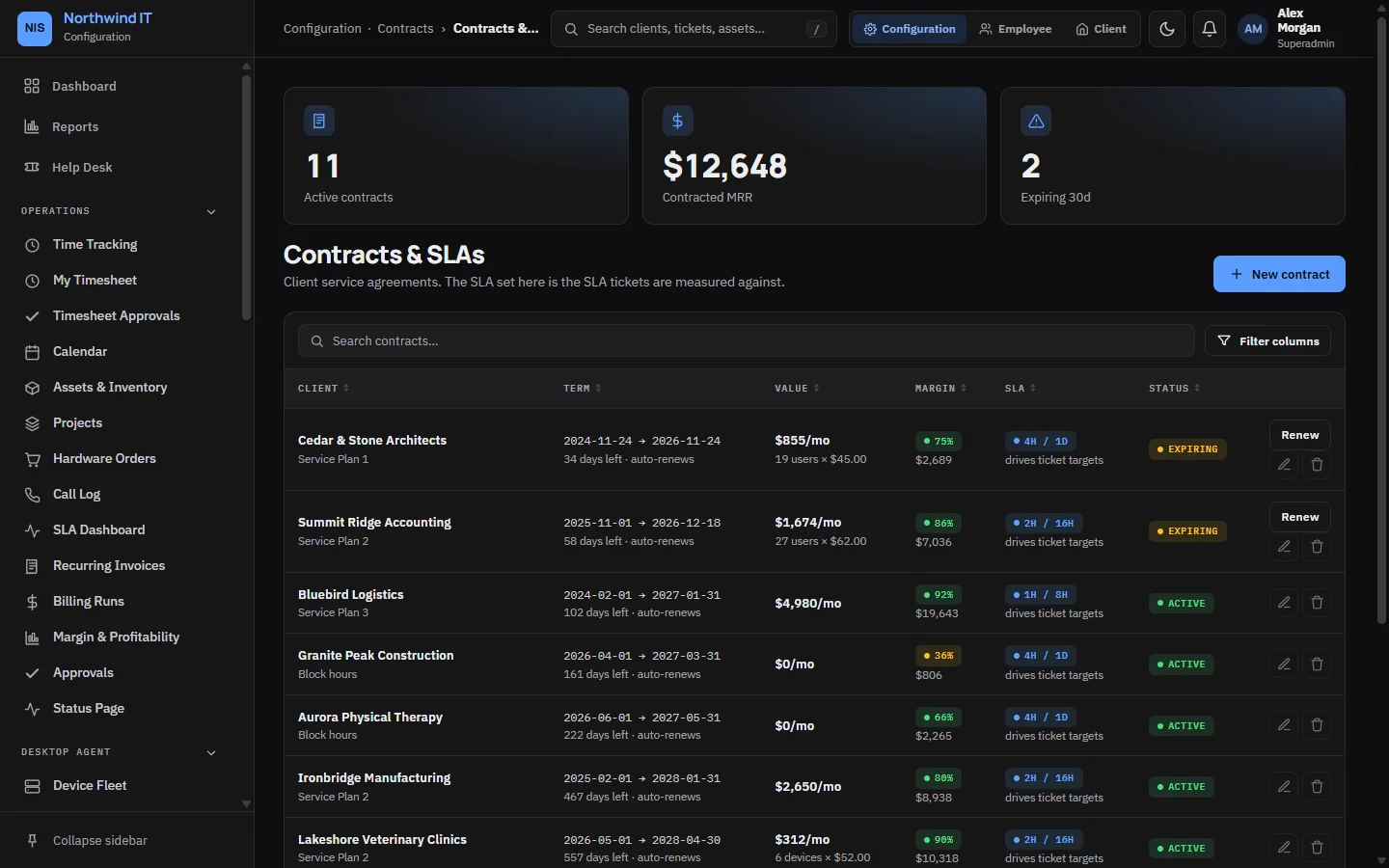
What a contract holds
| Field | Notes |
|---|---|
| Plan and term | The service plan name, start and end dates |
| Pricing model | Flat fee, per user, per device or block hours |
| Unit price and minimum units | For per-user and per-device pricing |
| Monthly value | What the billing run charges each month |
| SLA targets | Response and resolution targets, in minutes of working time |
| SLA calendar | Business hours or 24/7 |
| Renewal | Auto-renew on or off, and the notice period in days |
| Auto-bill | Whether the monthly billing run includes this contract |
| Retainer | A linked block of prepaid hours, if any |
Saving a contract updates the client's SLA targets. Tickets created after that use the new targets. See Priorities and SLAs.
Renewals
A daily check watches contract dates. When a contract nears its end date, your staff are notified, at most once a week per contract. A contract past its end date is marked expired and staff are told. The client keeps its SLA targets until you set a new contract.
Before you renew, review the year: ticket volume, hours logged, retainer use and satisfaction ratings. Set the new terms from those numbers rather than repeating last year.
Retainers
Billing › Retainers holds prepaid blocks of hours. Time logged against the client burns the balance down. The retainer page shows a burn-down meter and a ledger of every entry and top-up.
- Each ledger line is tied to its time entry, so editing or deleting the entry corrects the balance and the same hours are never counted twice.
- Each retainer has an alert threshold, 80% by default. Crossing it alerts your team so you can talk to the client before the hours run out.
- Top up adds hours with a ledger entry. Never edit a balance by hand.
- Hours used beyond the block are billed as overage by the monthly billing run.
- A retainer can be unlimited, and has a start and end date. Watch end dates: unused hours may lapse under your agreement.
Clients can see their own retainer balances in the client portal.