Priorities and SLAs
Every ticket has two deadlines: a response deadline and a resolution deadline. CVN PSA works them out from the client's targets and counts them in working time, not clock time.
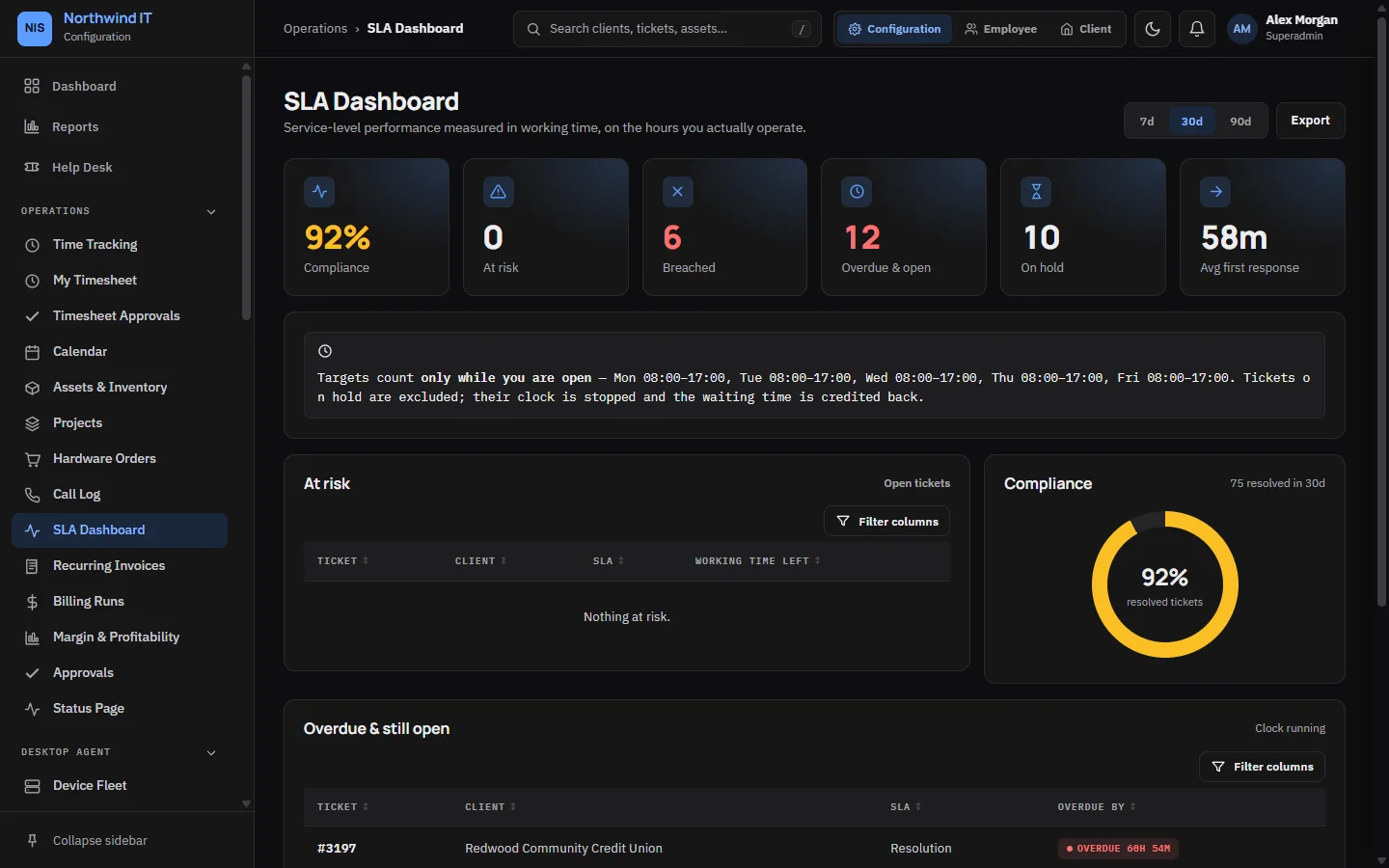
Where the targets come from
- Each client's response and resolution targets come from their contract. Saving a contract updates the client's targets.
- A client with no targets uses the defaults: 4 working hours to respond and 24 working hours to resolve.
- The contract also picks the calendar the clock runs in. A business-hours contract uses your opening hours. A 24/7 contract has no closing time.
A ticket raised at 5 pm on Friday with a four-hour response target is due four working hours later, on Monday morning, not at 9 pm on Friday.
Pausing the clock
Setting a ticket to a pausing status stops the clock. By default these are Waiting on client and Waiting on parts. When the ticket moves back to a running status, the app measures the working minutes it spent waiting and moves both deadlines out by exactly that much.
You can change which statuses pause the clock in the SLA settings.
Priority
Priority describes business impact. Use it to order the queue:
| Priority | Use it when |
|---|---|
| Urgent | A site is down, a critical system is unavailable or you suspect a security incident |
| High | A team or a key system is badly degraded |
| Normal | One person or one function is affected and there is a workaround |
| Low | Requests, questions and scheduled work |
Warnings and escalation
A background check runs every minute:
- Tickets close to their deadline are flagged as at risk, and the people on them are notified.
- Open tickets past their resolution deadline are set to Escalated, assigned to a Tier 2 technician and the breach is notified. Set each technician's tier on their user record.
Escalation only fires while your desk is open, unless the contract is 24/7. Nobody is woken at 3 am for a business-hours client.
Protect the clock
- Respond first, then diagnose. The response target is about telling the client you are on it.
- If a deadline will be missed, tell the client before it is missed, with a new commitment.
- Read the SLA dashboard every morning and work the at-risk column first.